
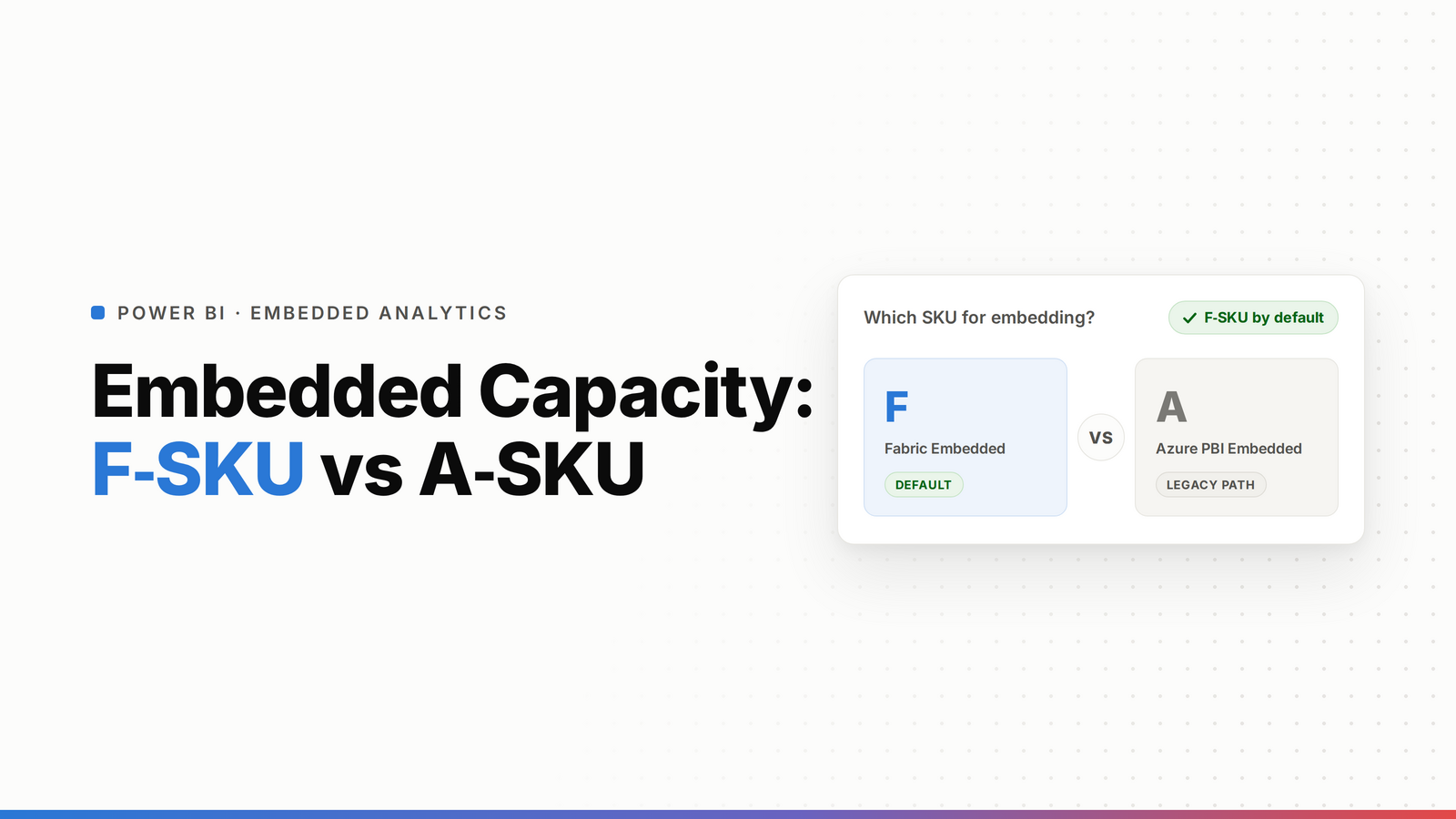
A-SKUs are Azure Power BI Embedded, the older capacity built purely for embedding Power BI in your app. F-SKUs are Microsoft Fabric capacity, which also embeds Power BI and runs everything else Fabric does. Both let you show reports to viewers without per-user licenses, and both can pause to save cost. The differences that matter: F-SKU is broader, starts cheaper (an F2 from around $263/month vs an A1 from around $735/month), and it's where Microsoft is putting its roadmap. If you're starting today, F-SKU is the default. A-SKUs still fit some existing embedding setups.
There are two capacity models for embedding Power BI, and the naming makes them sound like a bigger decision than they are. A-SKUs are the old Azure Power BI Embedded. F-SKUs are Microsoft Fabric capacity. They overlap a lot, they bill in similar ways, and Microsoft is clearly steering new work to F-SKU. Here's the honest difference and when each still makes sense, without the marketing.
TL;DR
- A-SKU (Azure Power BI Embedded): built only for embedding Power BI, sized A1 to A6, billed hourly, can pause.
- F-SKU (Microsoft Fabric): embeds Power BI and runs all Fabric workloads, sized from F2 up, billed per second, can pause.
- Both serve viewers without per-user licenses in an app-owns-data setup, and both can pause to cut cost.
- F-SKU is the default now: cheaper entry (F2), broader scope, and it's where the roadmap is going.
- A-SKU still fits existing embedded deployments and pure embedding cases you don't want to re-platform.
What is an A-SKU?
An A-SKU is Azure Power BI Embedded capacity. It was built for one job: embedding Power BI reports inside your own application, the "app owns data" model, where your app authenticates and your end users never need a Power BI license of their own. A-SKUs run A1 through A6, are billed hourly through Azure, and can be paused when you don't need them. For years this was the standard way ISVs shipped Power BI inside their product.
What is an F-SKU?
An F-SKU is Microsoft Fabric capacity. It does everything an A-SKU does for embedding, plus it powers the rest of Fabric (data engineering, warehousing, pipelines, and so on). F-SKUs start at F2 and scale up, are billed per second with a one-minute minimum, and can pause and resume. Power BI Embedded is included with every F-SKU. In short, it's a superset: the embedding capability of an A-SKU inside the broader Fabric platform.
How they bill and pause (the practical difference)
This is where it gets concrete.
- Billing: A-SKUs bill hourly. F-SKUs bill per second with a one-minute minimum, which is slightly more granular. Both offer reserved pricing for a commitment.
- Pausing: both can pause to stop the compute charge during idle hours. This matters more than the SKU choice for your bill, see how to cut your Fabric capacity cost.
- Entry price: an A1 starts around $735/month; an F2 starts around $263/month. So the cheapest way into embedding is now an F-SKU, not an A-SKU.
- Scope: an A-SKU only does Power BI embedding. An F-SKU does that and all other Fabric workloads on the same capacity.
Why F-SKU is the default now
Microsoft has made Fabric the center of gravity. New capabilities land on F-SKUs, Power BI Embedded is bundled into every F-SKU, and the whole Premium line is migrating to F-SKUs. F-SKUs also unlock the free-viewer threshold at F64 and up (viewers can see content without a Pro license), and they give you room to grow into other Fabric workloads without buying a separate capacity. If you're choosing today with no legacy to protect, F-SKU is the straightforward pick.
When an A-SKU still fits
A-SKUs aren't dead, and you don't have to panic-migrate. An A-SKU still makes sense if you've got a working embedded deployment on one and no reason to move, or you want a capacity dedicated purely to embedding with nothing else on it. But for anything new, the reasons to start on an A-SKU are shrinking. The honest read: A-SKU is fine to keep, F-SKU is what to build on.
How to choose
- Starting fresh, embedding Power BI in your product? F-SKU. Cheaper entry, same embedding, room to grow.
- Already on an A-SKU and happy? Stay for now, plan an eventual move to F-SKU as the roadmap pulls that way.
- Want free viewers without per-user licenses via direct access? F64 or larger.
- Pure app-owns-data embedding, tiny footprint, and you want the simplest possible capacity? An A-SKU still works, but compare an F2 first, it's usually cheaper.
For the bigger build-vs-buy picture on embedding, see Power BI Embedded alternatives and what Power BI Embedded is.
Frequently asked questions
What's the difference between an F-SKU and an A-SKU?
An A-SKU (Azure Power BI Embedded) is capacity built only for embedding Power BI in your app. An F-SKU (Microsoft Fabric) embeds Power BI too and also runs every other Fabric workload. Both serve viewers without per-user licenses in an app-owns-data setup and both can pause. The F-SKU is broader, starts cheaper at F2, and is where Microsoft's roadmap is focused.
Is F-SKU or A-SKU cheaper?
The entry point is cheaper on F-SKU: an F2 starts around $263/month versus an A1 around $735/month. Beyond entry price, your real cost depends on sizing and whether you pause during idle hours, which both models support. For most new embedding, an F-SKU is the cheaper starting point.
Do A-SKUs and F-SKUs both let viewers see reports without a Power BI license?
Yes, in an app-owns-data embedding setup, where your application authenticates and end users never sign in to Power BI directly. On top of that, F-SKUs of F64 and larger also allow free users to view content through direct access, without a Pro license, which A-SKUs don't offer.
Is Azure Power BI Embedded (A-SKU) being retired?
Microsoft hasn't announced an A-SKU retirement the way it did for Premium P-SKUs, but the direction is unmistakable: Fabric F-SKUs are the default and get the new capabilities. Existing A-SKU deployments keep working, but new embedding projects should generally start on an F-SKU.
Should I migrate from an A-SKU to an F-SKU?
Not urgently, if your A-SKU deployment works. But plan for it. F-SKUs are cheaper to enter, include Power BI Embedded by default, unlock free viewers at F64+, and receive Microsoft's ongoing investment. New builds should start on F-SKU rather than A-SKU.
Which SKU should an ISV use to embed Power BI?
For a new build, an F-SKU. It gives you the same app-owns-data embedding as an A-SKU, starts cheaper at F2, includes Power BI Embedded, and leaves room to use other Fabric workloads on the same capacity. An A-SKU is mainly for existing deployments that already run on one.

