
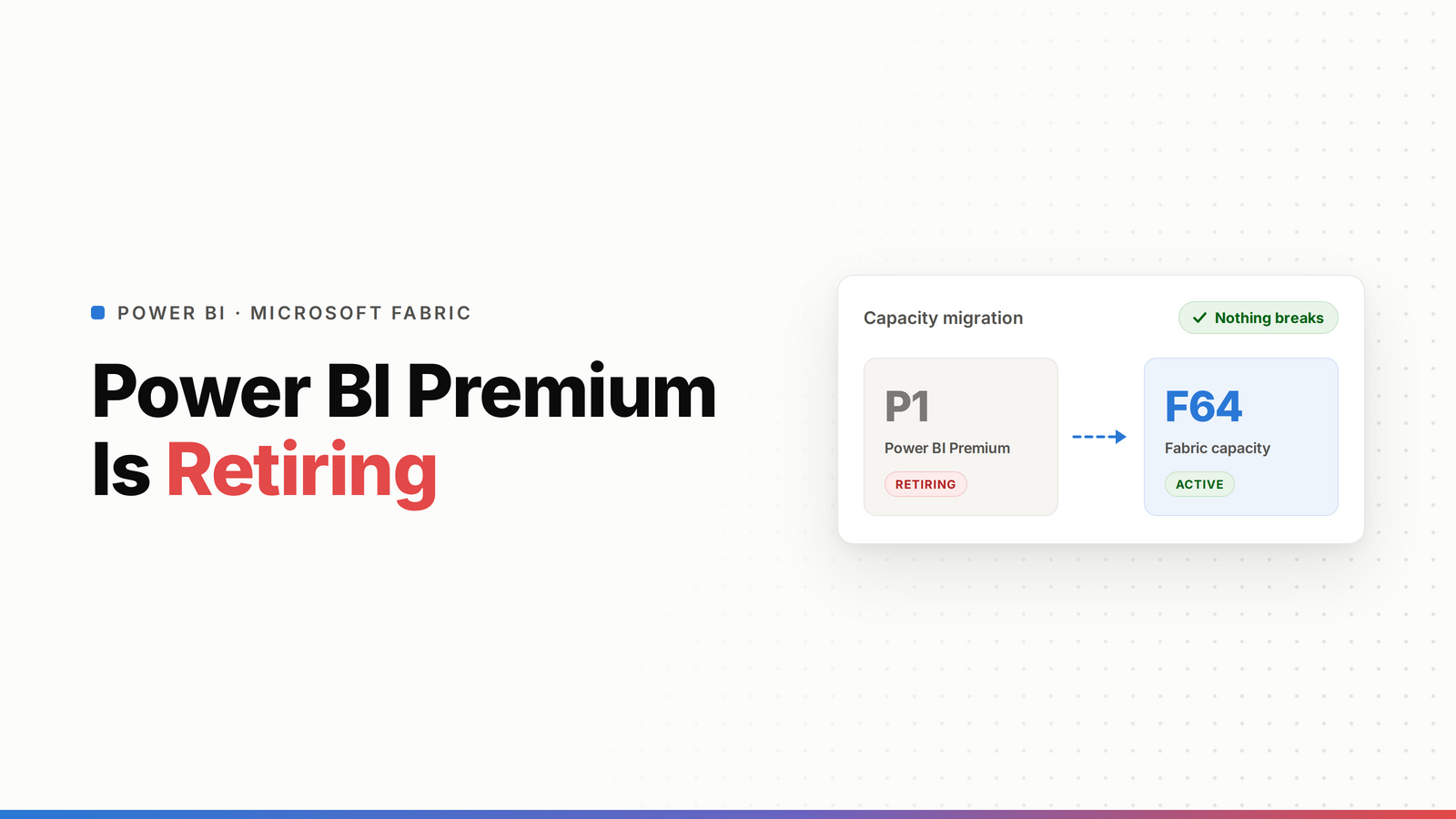
Power BI Premium P-SKUs are being retired, and you're moving to a Fabric F-SKU whether you planned to or not. Each P-SKU ends at its agreement term, and the default mapping is by capacity units: P1 goes to F64, P2 to F128, P3 to F256, P4 to F512, P5 to F1024. The migration is manual: buy the F-SKU first, reassign your workspaces, validate, then cancel the P-SKU. There's a grace period, but access gets throttled after about 30 days and operations are rejected after about 90, so plan the move instead of waiting for it to bite. And use it to right-size, not to copy your old capacity straight across.
Microsoft stopped selling new Premium P-SKUs and is moving everyone to Fabric capacity. If you're on a P1, P2, or P3, this is coming for you at renewal. The good news: it's mostly a mapping-and-reassign exercise, not a rebuild, and it's a genuine chance to stop overpaying. The bad news: it's manual, and if you ignore it the grace period turns into throttled and then rejected operations. Here's how to do it cleanly.
TL;DR
- P-SKUs retire at the end of each agreement term. Microsoft no longer sells them.
- Default mapping (by CUs): P1 → F64, P2 → F128, P3 → F256, P4 → F512, P5 → F1024.
- Migration is manual: buy the F-SKU, reassign workspaces, validate, then cancel the P-SKU.
- Grace period: content stays accessible for about 30 days after retirement, then access is throttled, and after about 90 days operations are rejected. Data is retained but locked until you migrate.
- Don't lift-and-shift. Use the Metrics App to right-size, and pick up pause/resume to cut cost.
What's changing
Power BI Premium ran on P-SKUs, billed as a fixed Microsoft 365 commitment. Microsoft has retired that model and moved capacity to Microsoft Fabric F-SKUs, billed through Azure. Same Power BI, different capacity underneath and a different billing model on top. New P-SKUs aren't for sale, and existing ones end when their term does. So this isn't optional and it isn't automatic, you have to do the move.
The timeline and grace period (don't wait for it)
Your P-SKU retires at the end of its current agreement term. After that, there's a grace window, and it gets worse the longer you leave it:
- First ~30 days: your content stays accessible. This is your window to migrate cleanly.
- After ~30 days: access is throttled and interactive operations get delayed.
- After ~90 days: operations are rejected outright.
- Your data is retained the whole time, but it's locked until you migrate to an F-SKU (or it's deleted).
The takeaway: treat the retirement date as the deadline to be done, not the day to start. Migrating on a working capacity is easy. Migrating a throttled one under pressure is not. (Confirm your exact dates in the Microsoft admin portal, terms vary by agreement.)
What P maps to in F
Map by capacity units. The default is a straight CU match:
That's the baseline, not the rule. Before you buy, check 30 to 45 days of actual CU consumption in the Fabric Capacity Metrics App. Plenty of P1s are running well under an F64's worth of load, which means the migration is a chance to step down and save, not just swap like-for-like. (See how to cut your Fabric bill.)
What actually changes for you
The Power BI experience is the same. What changes is underneath:
- Billing: from a fixed M365 commitment to Azure pay-as-you-go (billed per second, one-minute minimum), with optional yearly reservations. Pricing is now regional, so the same SKU can cost differently by Azure region.
- Pause/resume replaces Autoscale. P-SKU Autoscale is gone. F-SKUs can be paused to stop billing during idle hours and scaled on demand. That's an upgrade for cost control if you use it.
- Free viewers still need F64+. On F64 and larger, free users with a Viewer role can see content without a Pro license. On F2 through F32, every viewer needs Pro or PPU. Authors always need Pro or PPU.
- Power BI Embedded is included with every F-SKU (it used to be EM-SKU only).
The migration steps
Microsoft's guidance is clear and worth following in order:
- Buy the F-SKU capacity in Azure first (don't cancel the P-SKU yet).
- Add capacity admins to the new F-SKU before you move anything.
- Recreate capacity-level settings on the F-SKU (workload settings, per-capacity governance). Tenant-level settings carry over on their own; capacity-level ones don't.
- Reassign each workspace from the P-SKU to the F-SKU. Do it outside refresh windows, because active refreshes and queries can be interrupted during reassignment.
- Validate that reports, refreshes, and pipelines work on the new capacity.
- Cancel the P-SKU only once everything's validated.
Watch the cross-region gotcha. Same-region moves of standard Power BI items are basically zero downtime. But if you're moving to a different region, large-storage-format semantic models and Fabric items (Lakehouses, Warehouses, Notebooks, pipelines) don't survive reassignment, you have to back them up or capture their definitions and recreate them. Know which case you're in before you start. A Fabric trial capacity is a safe way to test behaviour first.
Don't just lift-and-shift: right-size on the way
The single biggest mistake here is copying your P1 straight to an F64 and moving on. You just inherited pause/resume and Azure billing, two levers you didn't have before. Check your real CU usage, size to that, and set up auto-pause for idle hours. For a lot of teams the migration is where the Fabric bill actually goes down, not up. (See what a Capacity Unit is and which Fabric capacity you need.)
Frequently asked questions
Is Power BI Premium being retired?
Yes. Microsoft no longer sells Premium P-SKUs, and each existing P-SKU retires at the end of its agreement term. Capacity moves to Microsoft Fabric F-SKUs, billed through Azure. The Power BI experience stays the same; the capacity and billing model underneath change.
What does P1 map to in Fabric?
P1 maps to an F64 by default, matched on capacity units (both are 64 CU/s). The full mapping is P1 → F64, P2 → F128, P3 → F256, P4 → F512, P5 → F1024. Treat it as a baseline and check your real CU usage in the Metrics App before buying, since many P1s can run on a smaller F-SKU.
How long is the grace period after Premium retires?
Content stays accessible for roughly 30 days after retirement. After that, access is throttled and interactive operations are delayed, and after about 90 days operations are rejected entirely. Your data is retained but locked until you migrate to an F-SKU. Confirm your exact dates in the admin portal, since they depend on your agreement.
Is the Premium to Fabric migration automatic?
No. It's manual. You buy the F-SKU capacity in Azure, add capacity admins, recreate capacity-level settings, reassign each workspace, validate, and only then cancel the P-SKU. Nothing migrates on its own at renewal.
Will migrating from Premium to Fabric cause downtime?
For same-region moves of standard Power BI items, it's essentially zero downtime, apart from any refreshes running during reassignment. Cross-region moves are different: large-storage-format semantic models and Fabric items don't survive reassignment and must be backed up and recreated, which does take time. Reassign outside refresh windows either way.
Should I keep the same capacity size when I migrate?
Not automatically. The default mapping (like P1 to F64) is a starting point, not a requirement. Review 30 to 45 days of CU usage in the Fabric Capacity Metrics App and right-size to your real load. Combined with pause/resume, the migration is often a chance to cut cost rather than carry it over.

