
Everything you need to share Power BI with anyone
Share reports with clients and colleagues, make the portal your own, run it for hundreds of clients, and work with your data through AI or the API.
DataTako now works with your AI and your code
AI apps
Connect Claude, ChatGPT or any MCP app. Ask your semantic models and update your data, under each user's own access.
Data dashboards
Describe a dashboard and AI builds it on your Power BI model. You check it and publish it to your portal.
DataTako API
Automate organisations, users, reports and access. Roll out a new client portal from your own systems.
Every Power BI report, for everyone who needs it
Share Power BI reports with anyone, no Pro license required
Give clients, partners and colleagues access to Power BI reports, paginated reports and PDFs. They sign in with email or SSO. No Microsoft accounts, no guest users, no Pro licenses.
- ✓Power BI reports, dashboards and paginated reports in one portal
- ✓Subscriptions in PDF, PowerPoint, Excel and more, plus alerts on your reports
- ✓Comments next to the data, per report
- ✓Every view runs under the viewer's own RLS roles
Viewers need no Power BI license. Your reports run on a Fabric capacity.
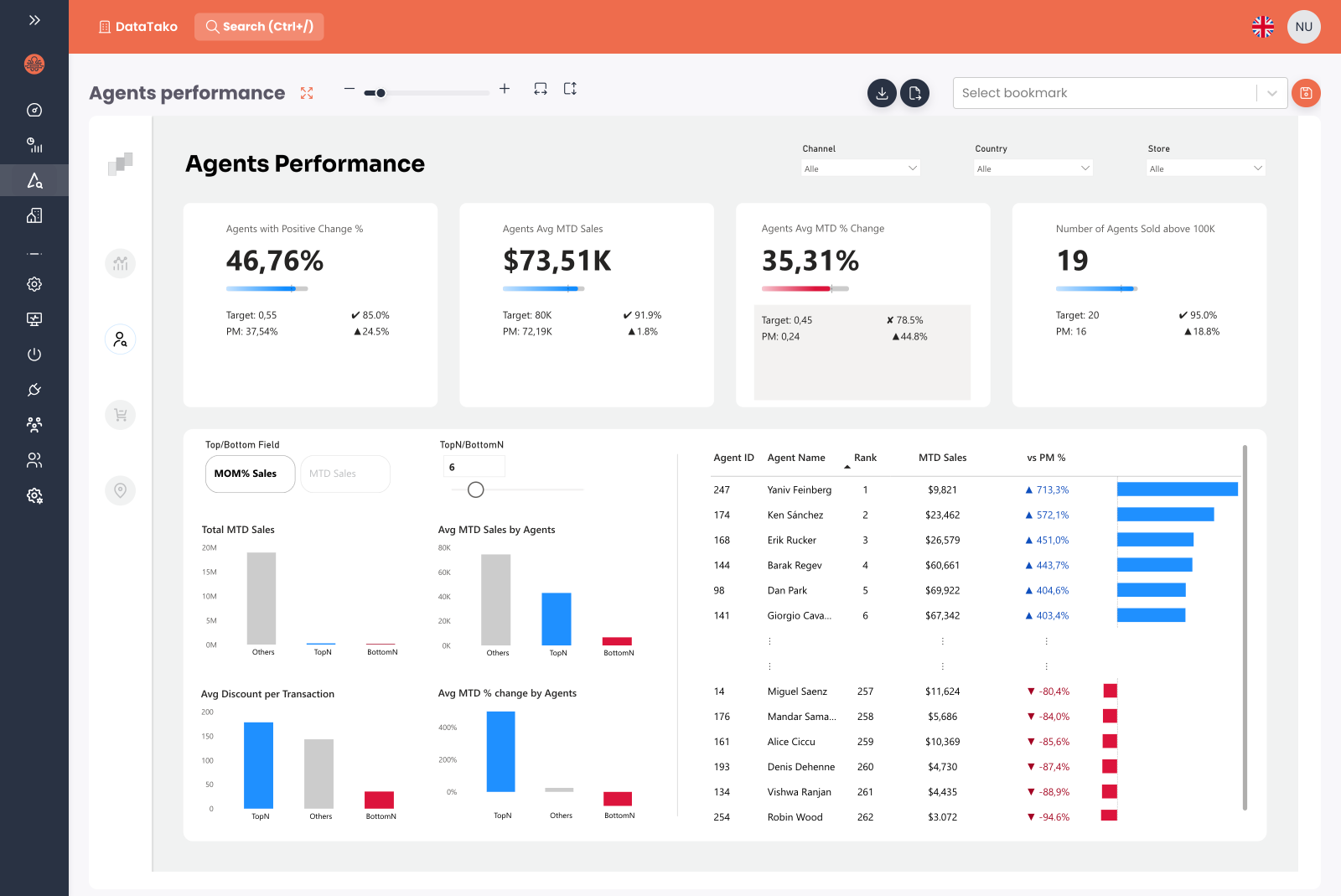
Your brand, for one client or hundreds
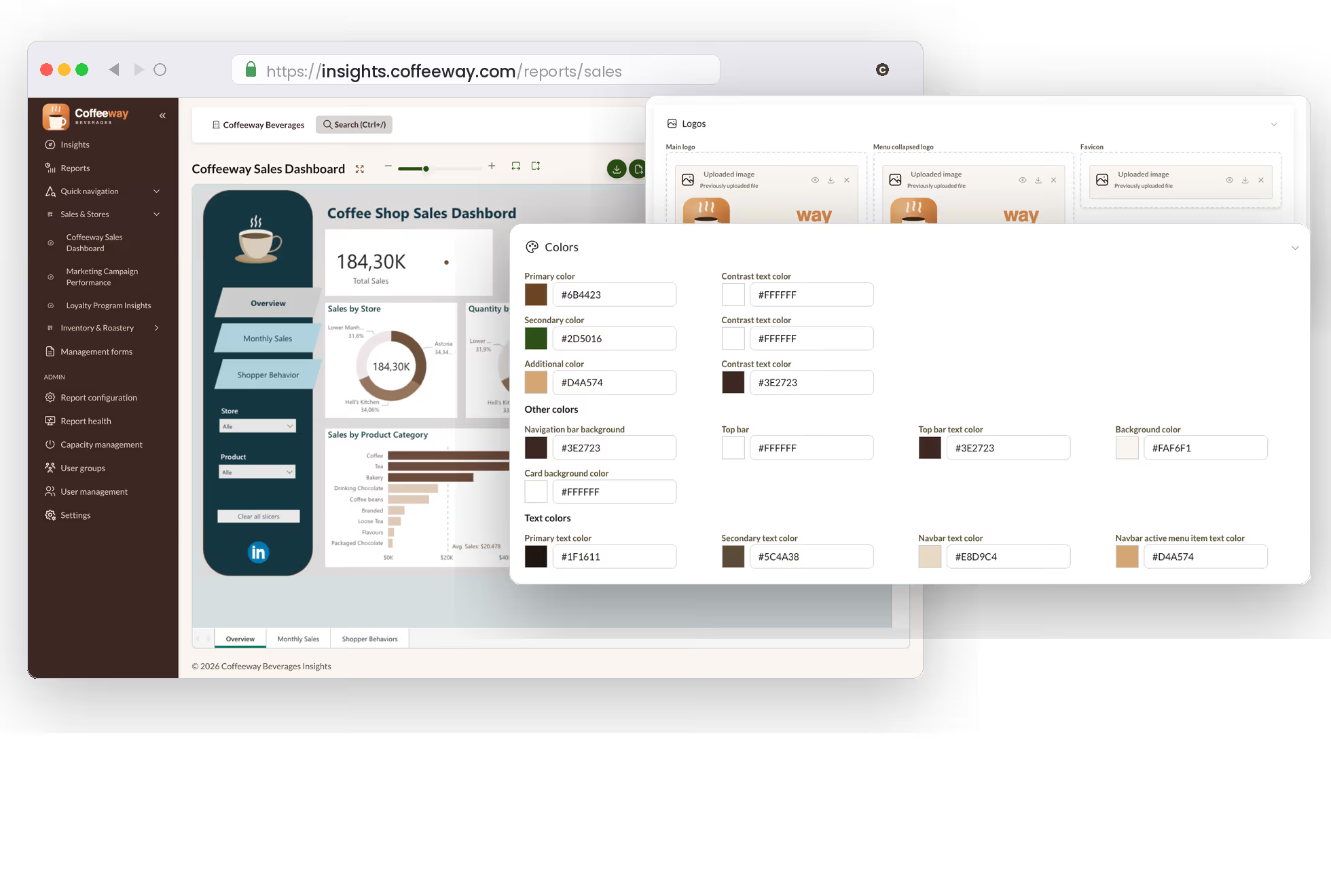
Your own domain, your brand, your portal
Make the portal feel like part of your own product, from the sign-in page to every email.
- ✓Your domain: viewers see your URL, not ours
- ✓Your brand: colours, logo and typography on every page
- ✓Your email: send through your own SMTP server or Microsoft 365
- ✓Your sign-in: a branded login page with your identity providers
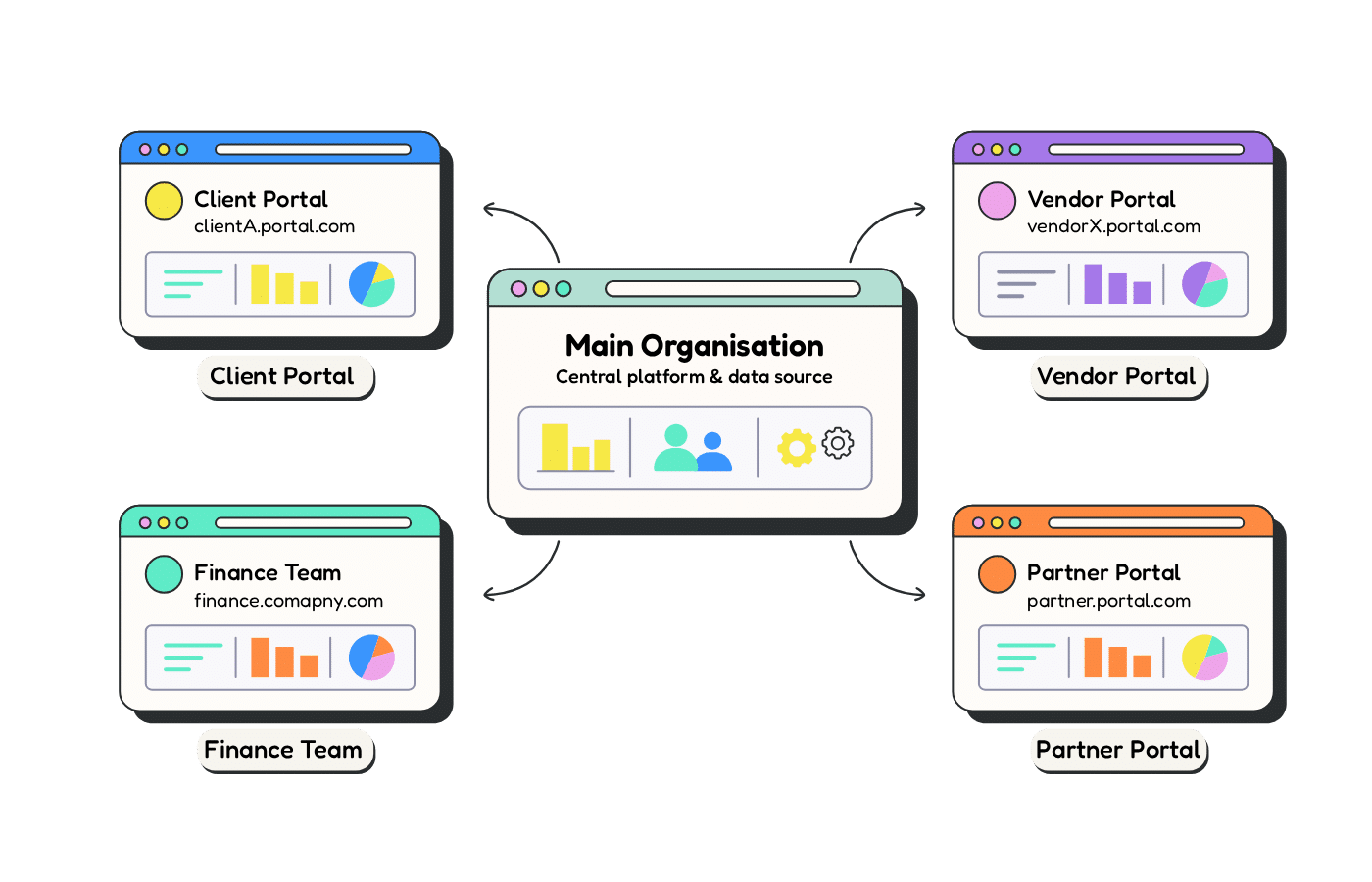
Run hundreds of branded client portals from one account
One account, a separate portal for each client. Ideal for agencies, resellers and franchises.
- ✓Separate users, groups, reports and activity per client
- ✓Own domain, logo, colours and email templates per client
- ✓Use your Power BI connection, or give a client its own
- ✓Create and configure them via the API
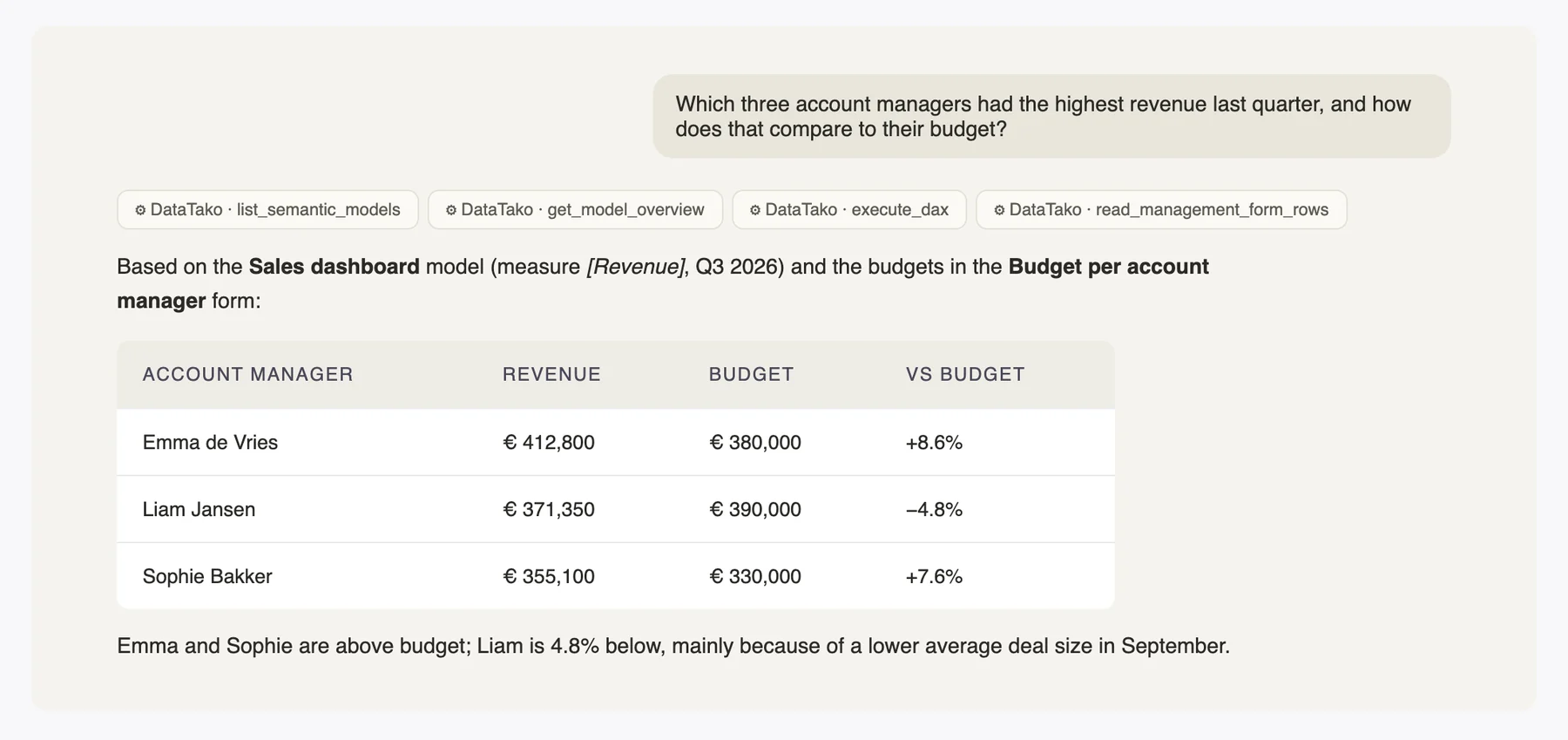
Work with your Power BI data in plain language
Two ways to do it: the built-in AI agent inside your portal, or the AI app your team already uses, connected to your semantic models. Plus dashboards that AI builds for you.
Analyse your Power BI data in Claude and ChatGPT
Connect any AI app that supports MCP. It asks questions of the semantic models you allow, writes the DAX and reads or updates your management forms. Everything runs under the user's own access.
- ✓Works with Claude, ChatGPT and other MCP apps
- ✓Answers respect row-level security
- ✓Off by default: switch it on per report and per form
- ✓Activity log of every AI request
Dashboards built by AI, published in your portal
Describe the dashboard you need. Your AI app builds it on your Power BI semantic model, with filters, drill-downs and multiple pages. You check the draft, publish it and manage access like any report.
- ✓Built on your model's own measures and data quality
- ✓Draft and preview before anyone sees it
- ✓Every viewer sees their own numbers through RLS
- ✓Manage access like any report
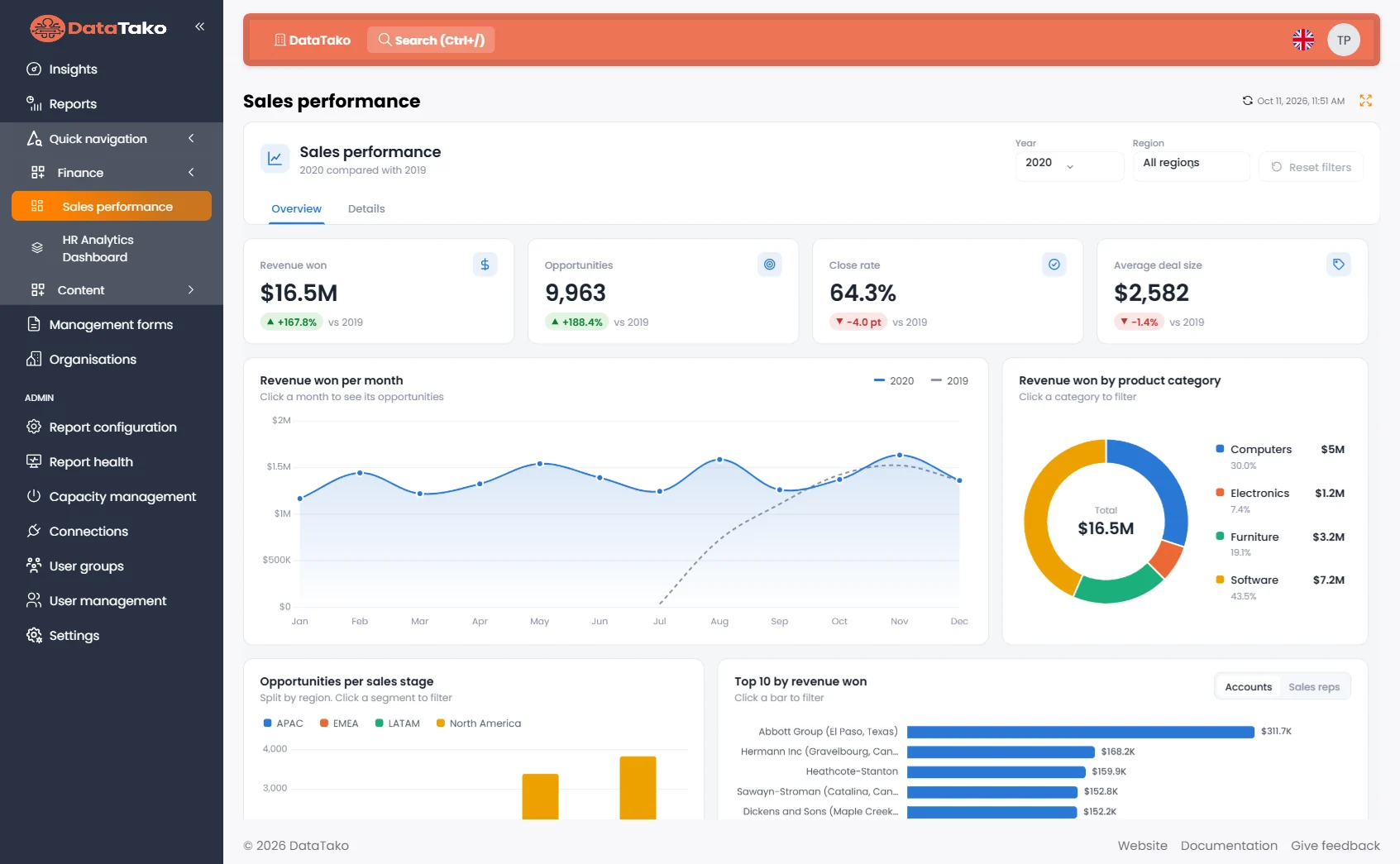
For every viewer, inside the portal
A chat next to each report and in the mobile app, answering with KPIs, tables and charts. Runs on your own provider key: OpenAI, Anthropic, Azure OpenAI or Azure AI Foundry. 1 agent on Launch, 5 on Scale, unlimited on Enterprise.
See the AI agent in a demo →For analysts, in their own AI app
Claude, ChatGPT or any MCP app, connected to your semantic models and management forms. Runs on the user's own AI subscription. Scale and Enterprise.
Explore AI apps →Edit your data, not just view it
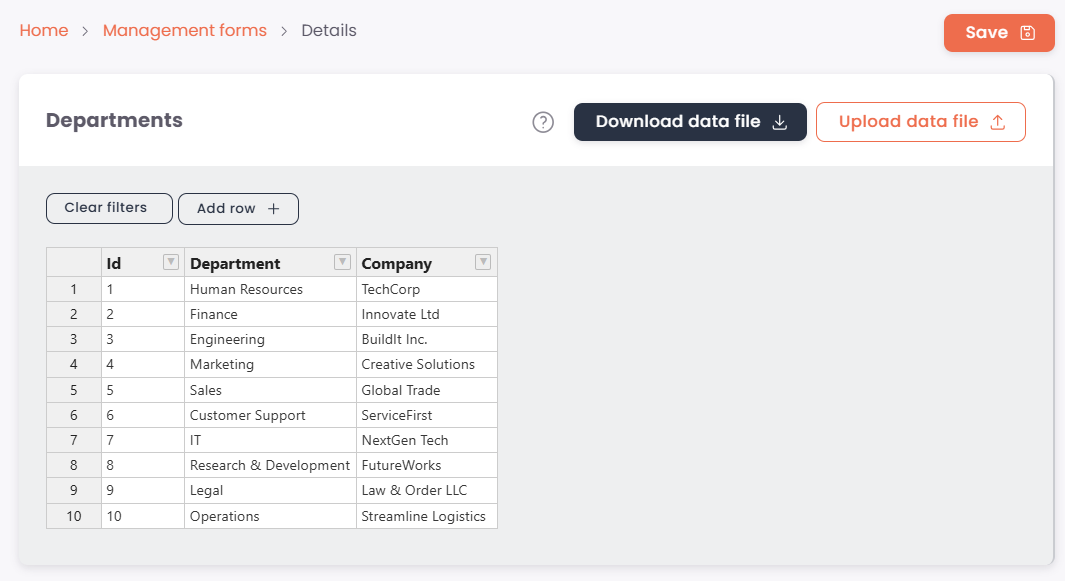
Data writeback through an Excel-like editor
Let your clients and colleagues edit data through a spreadsheet, not just look at it. Management forms turn database tables into editable grids.
- ✓Spreadsheet-style editing with sorting, filtering and undo
- ✓Bulk update by downloading to Excel and uploading again
- ✓Directly on SQL Server or PostgreSQL
- ✓New: read and update forms from your AI app, with per-form permissions
Run your portal from your own systems
Automate everything you do in the portal
Create client organisations, invite users, set up reports and manage access from your own systems. The DataTako API covers the full set-up, so onboarding a new client becomes a single script.
- ✓Organisations, users, groups, report groups and report configurations
- ✓Copy an existing report set-up to a new client in one call
- ✓Dataset refresh, activity data and request logs
- ✓OpenAPI reference at connect.datatako.com/swagger
Your portal in your pocket
Your reports in your pocket, on iOS and Android
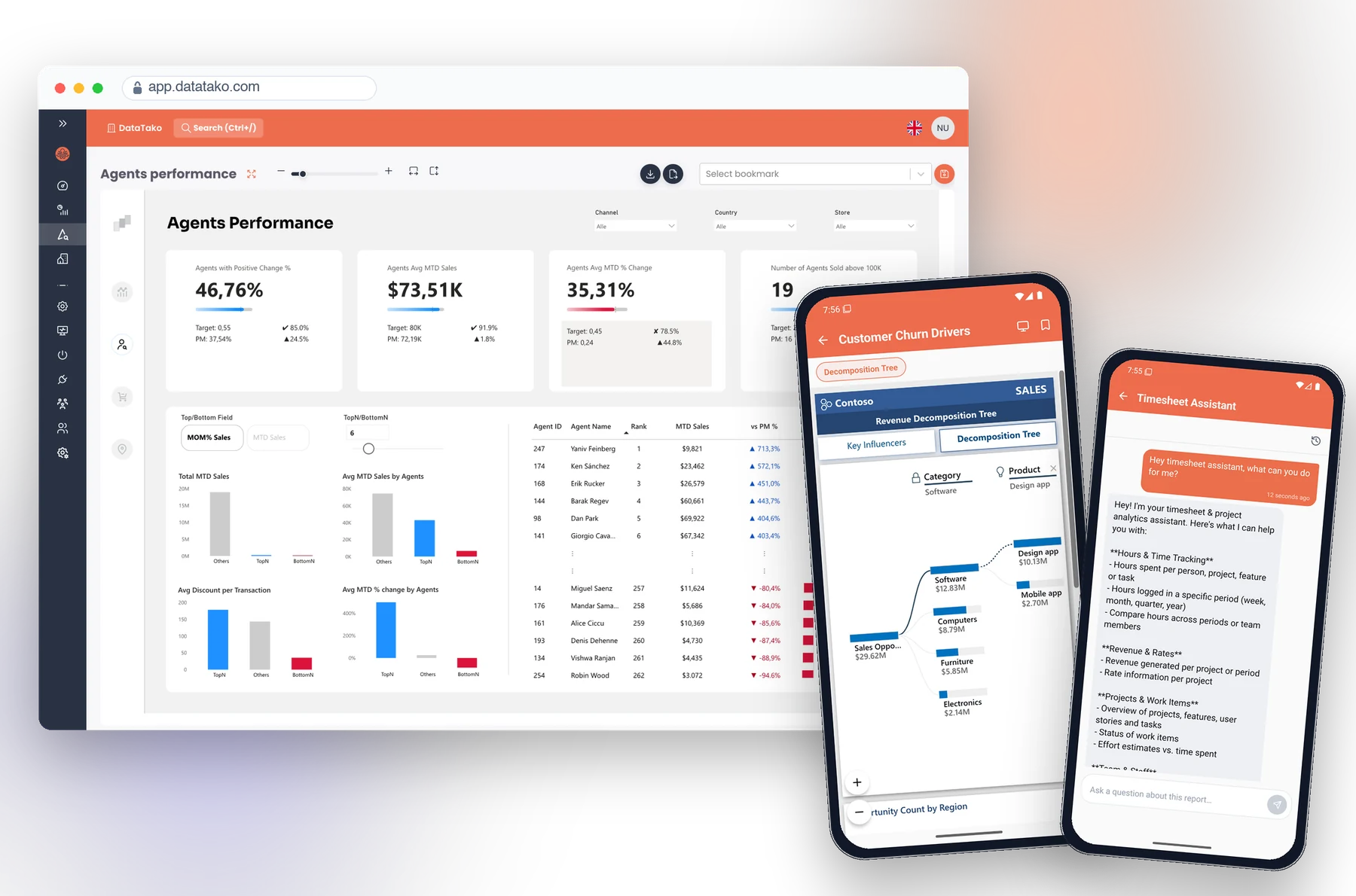
The DataTako mobile app brings your whole portal to iPhone, iPad and Android. Viewers open live, interactive Power BI reports and sign in with a single tap on a magic link.
- ✓Live, interactive Power BI reports with a mobile layout toggle
- ✓The built-in AI agent on reports where it's enabled
- ✓Your branding from the sign-in screen, with organisation switching
- ✓Comments and shared bookmarks, in five languages
Every other feature, at a glance
The full list of what's built in. Some features depend on your plan: see pricing →
Security & access
Row-level security
Map Power BI RLS roles to users and groups. Every view, alert and AI answer runs under the viewer's own roles.
Single sign-on
Sign in with Microsoft or SAML 2.0, alongside password and email code.
Entra ID sync
Provision users, groups and roles from Microsoft Entra ID when they sign in.
Two-factor authentication
Require 2FA for your whole organisation, with exceptions per user.
IP whitelisting
Allow access only from trusted IP addresses or ranges, per organisation.
Password & session policy
Set password rules, expiry and automatic logout after inactivity.
Sharing & distribution
Report subscriptions
Email reports and paginated reports daily, weekly or monthly, with your filters and bookmarks.
Export formats
PDF, accessible PDF, PowerPoint, Excel, CSV, Word and images.
External recipients
Send subscriptions to people who don't have a DataTako account.
Smart alerts
Get an email when a measure crosses a threshold, checked on your schedule.
Bookmarks & saved states
Viewers pick up where they left off, and share bookmarks with people or groups.
Public embed links
Embed a report on any website with a link or embed code. Not available for RLS reports.
HTML dashboards
Upload a self-contained HTML dashboard, or keep it up to date from your pipeline through the API.
Multi-language portal
English, Dutch, German, Spanish and Portuguese (Brazil), with a language selector per report.
Administration
User & report groups
Assign access once, apply it to thousands of viewers.
Bulk user import
Upload users from an Excel file and assign them to groups in one go.
Assignment overview
See who has access to what in one matrix, and export it to Excel.
Power BI workspace sync
Sync reports, dashboards and paginated reports from your workspaces automatically.
Custom email
Send all mail through your own SMTP server or Microsoft 365.
Report health monitoring
See which reports fail to load, why, and for how many users.
Insights & cost
Activity dashboard
See who opened or exported which report, and when.
Subscription logs
Check every subscription run and see which recipients didn't get it.
AI activity log
See which user queried which model or form through which AI app.
Auto pause & resume Fabric capacity
Pause your capacity outside working hours or after inactivity, and resume it before refreshes or when users return.