
Analyse your Power BI data in Claude and ChatGPT. Securely.
Connect Claude, ChatGPT or any AI app that supports MCP to DataTako. Go deeper than a report allows: ask follow-up questions, compare periods, find the cause behind a number and update your data. Every request runs under the user's own access and row-level security.
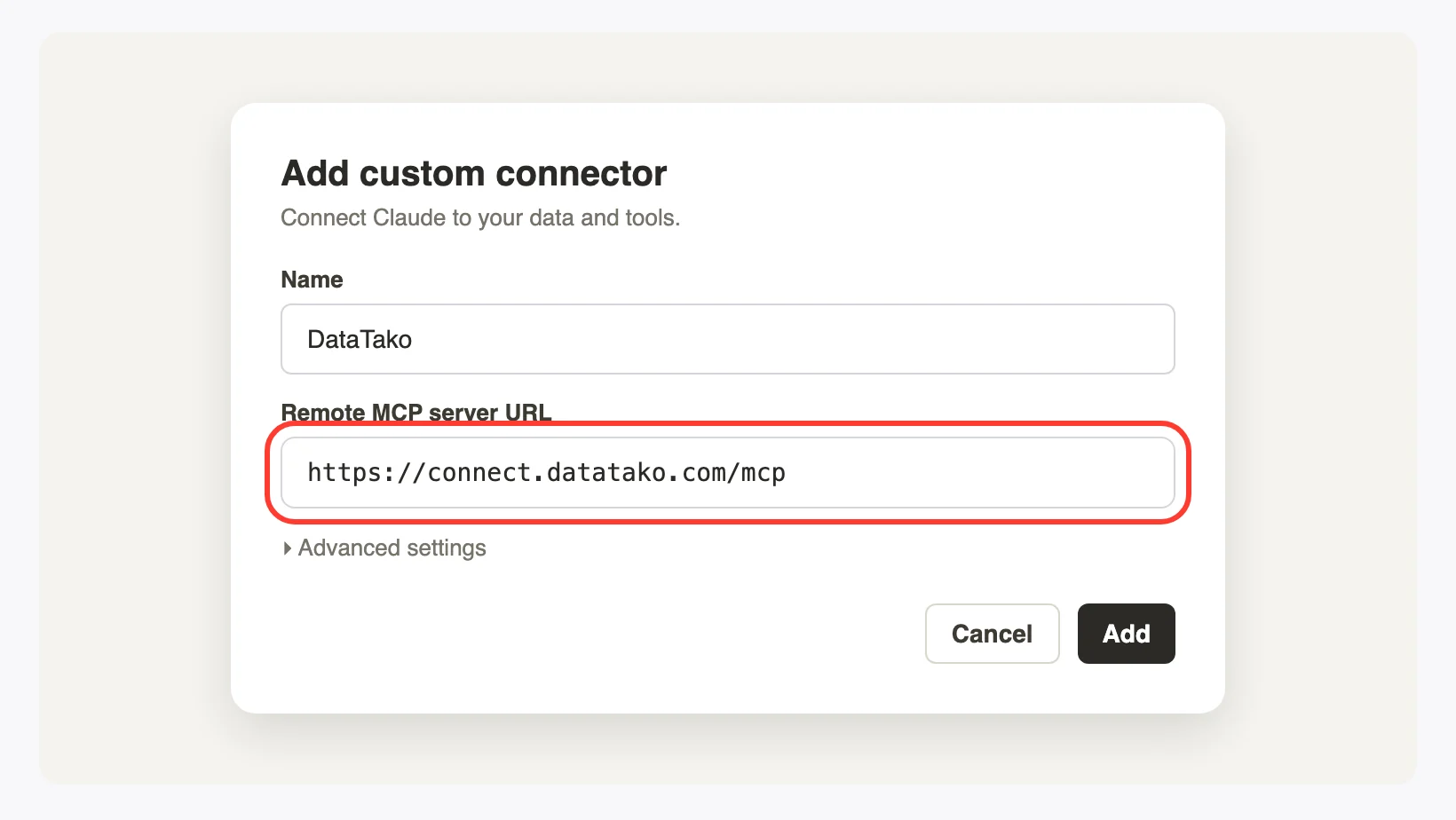
Connected in three steps
No installation and no API keys. One connector URL and your own DataTako sign-in.
Copy your connector URL
Find it in DataTako under Profile → AI apps.
Add it to your AI app
In Claude: Settings → Connectors. In ChatGPT: Apps & Connectors. Any other MCP app works the same way.
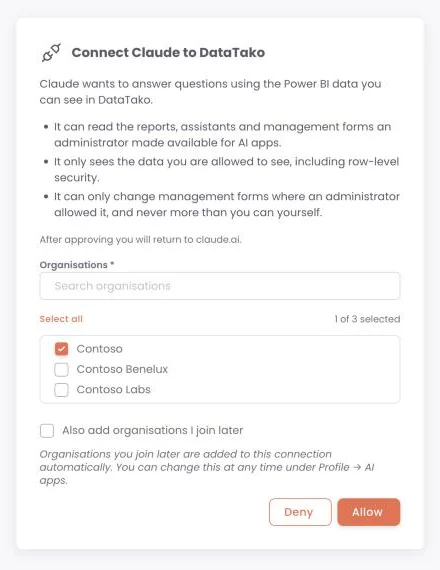
Sign in and choose your organisations
Approve the connection on your own DataTako sign-in page. Done.
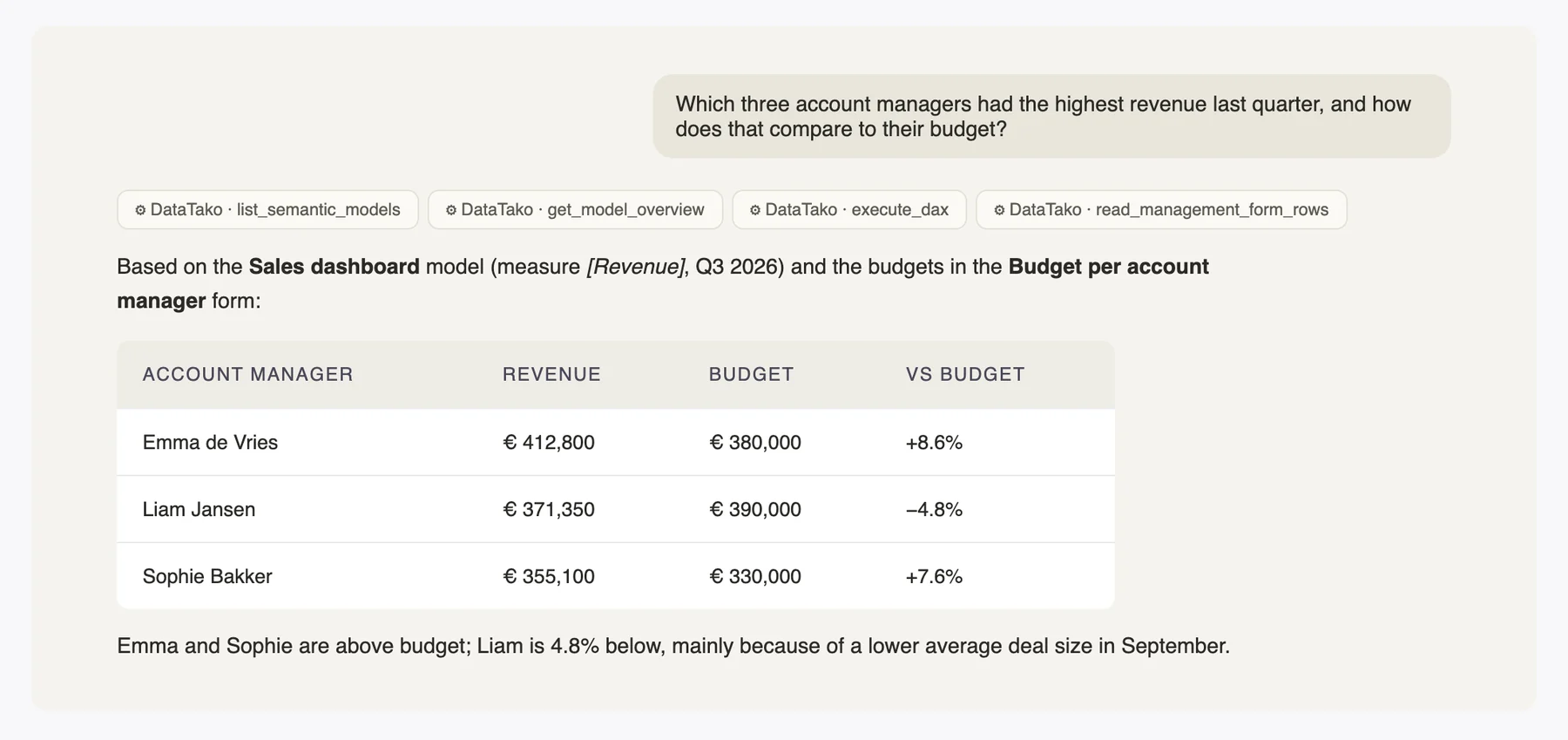
Ask your semantic model, not just the report
A report answers the questions it was built for. Your AI app can ask the next one. It reads the tables, measures and relationships of your model, uses the business context you gave your AI agent, writes the DAX and explains what it found.
- ✓Uses your model's own measures, so the numbers match your reports
- ✓Handles large results by paging through them
- ✓Reuses earlier successful questions on the same model
- ✓Only the models you made available, only the rows the user may see
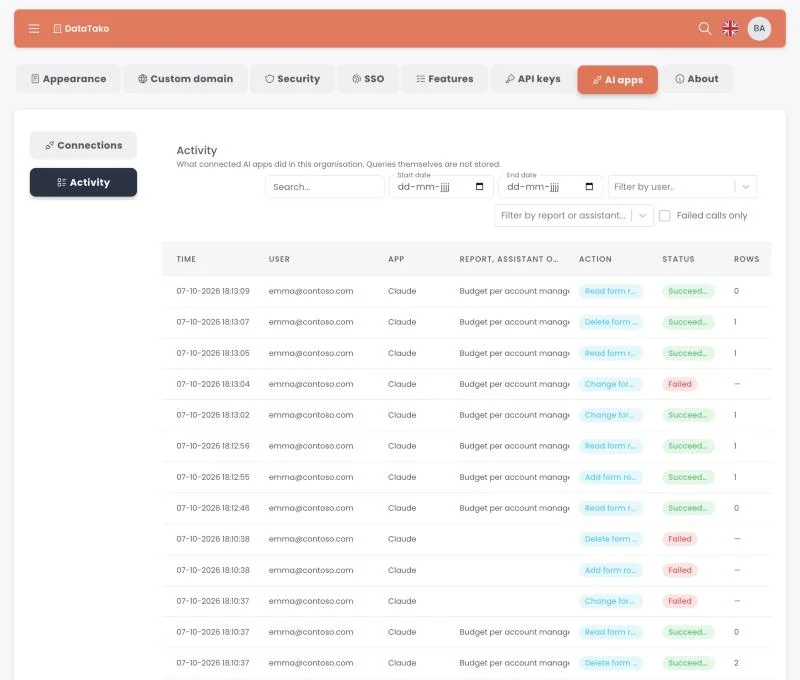
Update your data from the conversation
Management forms turn database tables into editable grids in DataTako. With AI apps, your team can read and update those rows straight from the chat: add next month's targets, correct a mapping, close an action item.
- ✓Read, add, change and delete: switch each one on per form
- ✓Never more than the user's own rights in DataTako
- ✓Up to 500 rows per change, saved all-or-nothing
- ✓Every change made through an AI app shows up in the AI activity log
You decide what AI apps can see
AI apps are off until an admin switches them on. Then you choose which reports, AI agents and management forms are available. You see every connection and every request.
- ✓Opt in per report, per AI agent and per form
- ✓See and revoke connections, effective within a minute
- ✓Activity log by user, app, report or form
- ✓Unused connections expire after 90 days
Signed in on your domain, with your SSO
Organisations with a custom domain get their own connector URL. Users sign in and approve the connection on your branded sign-in page, with the identity providers you already use.
Built on the security you already have
AI apps use the same users, roles and row-level security as your portal. Nothing is shared that a user couldn't already see.
Row-level security
Every query runs with the user's own RLS roles. No role, no data.
Opt-in
Nothing is available to AI apps until you switch it on, per report, AI agent and form.
Scoped tokens
Connections use tokens that only work for AI apps, not for the rest of DataTako.
Short-lived access
Access tokens last an hour. Unused connections expire after 90 days.
Revoke anytime
Disconnect a user or app, effective within a minute.
No query storage
The activity log records who did what, not the queries or the data.
Your AI subscription
No DataTako AI credits and no API keys to manage.
Respects your network rules
Organisations with an IP whitelist stay closed to AI apps.
Works with your AI app
For every viewer, inside the portal
A chat next to each report and in the mobile app, answering with KPIs, tables and charts. Runs on your own provider key: OpenAI, Anthropic, Azure OpenAI or Azure AI Foundry. 1 agent on Launch, 5 on Scale, unlimited on Enterprise.
For analysts, in their own AI app
Claude, ChatGPT or any MCP app, connected to your semantic models and management forms for deeper analysis and updating data. Runs on the user's own AI subscription. Scale and Enterprise.
Questions about AI apps
Which AI apps work with DataTako?
Any AI app that supports remote MCP connectors, including Claude (desktop and claude.ai), ChatGPT, Claude Code, Cursor and VS Code. You add one connector URL and sign in with your DataTako account.
Does the AI app respect row-level security?
Yes. Every query runs under the signed-in user's own access and RLS roles, exactly as when they open the report. A user without an RLS role gets no data.
Can the AI app change my data?
Only in management forms where an admin has switched on adding, changing or deleting, and never beyond the user's own rights in DataTako. Database views and forms without a primary key stay read-only. Reports and semantic models are always read-only.
Does DataTako store my questions or data?
The activity log records who used which app on which report or form, not the questions or the results. Large query results are held for at most an hour so the AI app can page through them. How your AI provider handles your conversations depends on your agreement with them.
Do I need AI credits or an API key?
No. AI apps use your own AI subscription, such as Claude or ChatGPT. DataTako doesn't charge for AI usage.
What's the difference with the built-in AI agent?
The built-in AI agent is a chat inside the portal and the mobile app, for every viewer, using an AI provider key you configure. AI apps connect your team's own AI app to DataTako, for deeper analysis and for updating data.
Which plan do I need?
AI apps are available on Scale and Enterprise.
We use an IP whitelist. Can we use AI apps?
No. Requests from AI apps come from the AI provider's servers, so organisations with an active IP whitelist can't connect AI apps.
See AI apps on your own data
We'll connect an AI app to a demo model live, or to yours.
Free · No credit card · Demo environment with sample data · No Fabric capacity needed to try