
TL;DR: Embedding Power BI in SharePoint is a quick way to give internal employees a single place to find reports — and it works well for that. But SharePoint embedding still requires every viewer to have a Power BI license, lives inside your Microsoft tenant, and can't be white-labeled per client. The moment you need to deliver reports to external clients under your own branding, a dedicated Power BI report hub is the better fit.
How embedding Power BI in SharePoint works
There are two common ways to put Power BI into SharePoint:
- The Power BI web part (the supported, secure route). You add a Power BI report to a SharePoint Online page with the built-in web part. Viewers must be signed in to Microsoft 365 and hold a Power BI license (Pro/PPU, or the workspace must be on Premium/Embedded capacity).
- Publish to web (the insecure shortcut). This generates a public embed code anyone can view — no login. It's genuinely public, so it should never be used for client or confidential data. We explain the risk in Power BI publish to web vs embedded.
Most "Power BI in SharePoint" portals use the web part — which means the licensing and tenant rules below apply.
Where SharePoint works well
For an internal audience, a SharePoint hub is a reasonable, low-effort option:
- Your employees already live in Microsoft 365 and SharePoint.
- They already hold Power BI licenses.
- Branding doesn't matter much — it's an internal intranet.
- You want one familiar place to surface reports alongside documents.
If that describes your whole audience, SharePoint may be all you need.
Where SharePoint breaks down
The cracks show as soon as the audience includes people outside your tenant:
- Every viewer still needs a license. The SharePoint web part doesn't remove Power BI licensing — viewers need Pro/PPU or capacity. For external clients, that means provisioning licenses or guest accounts. See Power BI licensing and sharing with external users without extra Pro licenses.
- It's tenant-bound. SharePoint Online belongs to your Microsoft 365 tenant. Inviting dozens of external clients in means managing guest identities, conditional access, and offboarding. See guest user access: pros, cons and alternatives.
- No white-label. Clients see SharePoint and Microsoft branding, not yours. You can't deliver
dashboards.youragency.comfrom SharePoint. - No real multi-tenancy. Giving each client an isolated, separately branded space — seeing only their data — isn't what SharePoint was built for. See multi-tenant analytics.
In short: SharePoint is an internal intranet, not a client-facing reporting product.
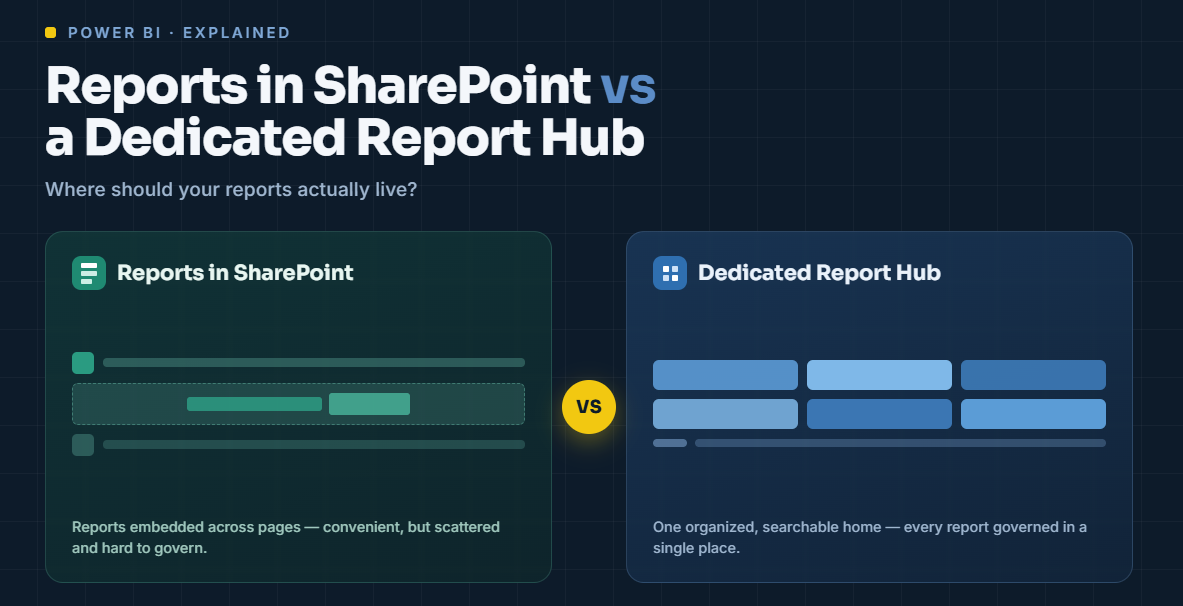
SharePoint hub vs dedicated report hub
When to use which
- Internal-only, everyone licensed? SharePoint is fine — use the web part, avoid publish-to-web for anything sensitive.
- External clients, your own branding, no per-viewer licenses? Use a dedicated report hub.
A report hub runs on Power BI Embedded / Fabric capacity, so viewers need no license, and it adds the branded portal, authentication, and sub-organization isolation SharePoint can't. With DataTako, you connect your existing Power BI workspace and clients get a fully branded portal in hours — no guest accounts, no per-viewer licensing. It's a natural fit for BI agencies delivering to many clients.
Calculate your savings → · Book a demo →
FAQ
Can you embed Power BI reports in SharePoint?Yes — using the Power BI web part on a SharePoint Online page. Viewers must be signed in to Microsoft 365 and hold a Power BI license, or the workspace must be on Premium/Embedded capacity.
Do users need a Power BI license to view reports in SharePoint?Yes. The SharePoint web part doesn't remove licensing — viewers need Pro/PPU unless the content is on a Premium/Embedded capacity. A report hub on Embedded capacity removes the per-viewer license.
Can I share Power BI in SharePoint with external clients?Only by guest-inviting them into your tenant, which adds identity-management overhead and still shows Microsoft branding. For license-free, white-label external sharing, a dedicated report hub is the better route.
Is "publish to web" a safe way to put Power BI in SharePoint?No. Publish to web makes the report publicly accessible to anyone with the link — it should never be used for client or confidential data.
What's the difference between a SharePoint reporting portal and a report hub?A SharePoint portal is an internal intranet surface that still requires licenses and Microsoft branding. A report hub is a white-label, capacity-based portal built for external, license-free client delivery with multi-tenant isolation.

