
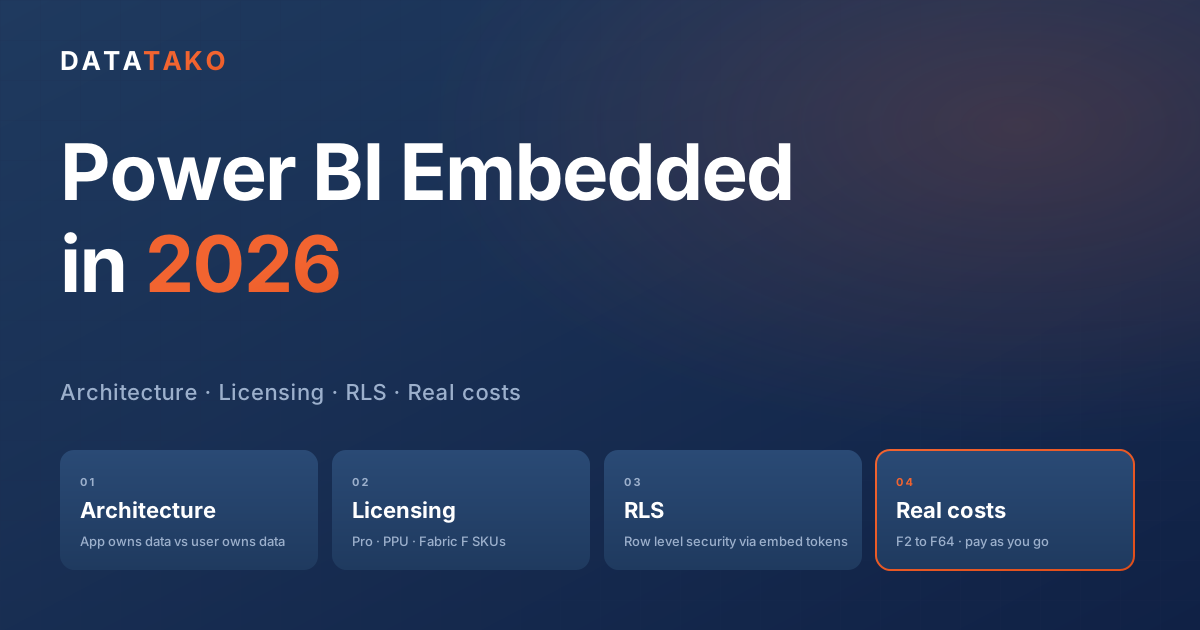
Power BI Embedded is one of the most misunderstood Microsoft products on the market. Half the people searching for it want to put a report inside a SaaS application. The other half are trying to figure out which capacity SKU they actually need now that the old A SKUs are gone. This guide answers both, plus the questions that follow: how the architecture works, how row level security behaves when the end user is not in your tenant, what an F2 versus F4 versus F8 actually costs in 2026, and when it is cheaper to buy a finished portal instead of building one.
TL;DR
• Power BI Embedded in 2026 means Fabric F SKUs. The Power BI Embedded A SKUs were retired. You buy a Fabric F2, F4, F8, F16, or larger capacity and you get the embedding rights with it.
• Two architectures, one product. App owns data uses a service principal to embed for users that have no Power BI license. User owns data passes through the signed in user, which means every viewer needs a Pro or PPU license.
• Row level security still works, but in embedded scenarios you supply the identity via the embed token, not via Microsoft Entra group membership.
• Capacity sizing is driven by dataset refresh, not viewer count. Many production embedded portals run on F2 or F4 with well optimised datasets. Sizing up is usually the wrong first move when CU pressure shows up.
What Power BI Embedded actually is in 2026
For years Power BI Embedded was sold as its own product with A series capacities (A1 through A6). Microsoft retired those. As of 2024 the embedding rights now ride on Microsoft Fabric F SKUs, which are the same capacities you use for Fabric workloads. There is no separate "Embedded" license anymore.
What this means in practice: when people say Power BI Embedded, embedded BI, embedded Power BI, embedded analytics Power BI, or PBI embedded, they are talking about the same thing in 2026: putting a Power BI report or dashboard inside another application using a Fabric capacity to host it. The embedding contract has not changed. The licensing wrapper around it has.
Embedded is not the same as the Embed in SharePoint button, the Publish to web link, or the Teams app. Those are sharing surfaces inside the Microsoft ecosystem. Power BI Embedded means your application calls the Power BI REST API, requests an embed token on behalf of a user who may not have a Microsoft account, and renders the report inside a JavaScript container you control.
The licensing reality: Pro vs Premium Per User vs Fabric F SKUs
There are four ways to put a Power BI report in front of a viewer in 2026. Only one of them is true embedding.
1. Power BI Pro
Per user license at around 14 USD per month. Every viewer needs one. Reports live in a Pro workspace. Useful for internal sharing with named employees. Not viable for B2C scenarios, large external audiences, or SaaS embedding.
2. Premium Per User (PPU)
Around 24 USD per month per user. Adds Premium features (paginated reports, larger model sizes, deployment pipelines) on a per user basis. Still requires every viewer to have a PPU license. Not an embedding solution.
3. Microsoft Fabric F SKU (Premium capacity)
The capacity model. You buy a fixed amount of compute (F2, F4, F8, F16, F32 and so on), put workspaces on it, and now viewers do not need a Pro license. This is what Power BI Embedded relies on. Viewers can be employees, customers, or anonymous users in a B2C application, depending on the embedding pattern you choose.
4. The deprecated A SKUs
The A SKUs were the original Power BI Embedded capacities, billed hourly. They were folded into Fabric. If you see documentation that still references A1 to A6, it is either historical or you are looking at the Azure portal version of the Fabric F SKUs (Fabric capacities can be bought through Azure subscription, billed pay as you go, and these still surface as A SKU style hourly billing).
If you want a deeper licensing breakdown specifically for external sharing, see our existing comparison of Power BI Embedded vs Pro vs Premium.
The two embedding architectures
The first decision when you build with Power BI Embedded is whether your viewers will sign in with their own Microsoft identity or whether your application will own the identity. Microsoft calls these patterns user owns data and app owns data.
User owns data
The viewer signs in with their own Microsoft Entra identity. Your app receives an access token, exchanges it for an embed token, and renders the report. Whatever permissions the user has in the Power BI Service apply directly.
This pattern works well when:
• All your viewers are inside one tenant (your own employees).
• You want Power BI Service workspace permissions to govern who sees what.
• You are happy paying for a Pro license per viewer (or running on Premium capacity).
This pattern does not work when your viewers are customers, clients, agency end users, or anyone outside your tenant. That is the case for every SaaS embedding scenario and for almost every consulting or agency client portal.
App owns data
Your application authenticates to Power BI using a service principal (a Microsoft Entra app registration) or a master user account. The viewer never authenticates with Microsoft. The application decides who they are, generates an embed token that reflects that identity, and renders the report.
This is the architecture you want for:
• SaaS products embedding analytics for paying customers.
• Agencies showing white labelled reports to clients.
• Anything where the viewer should not see the words "Power BI" or sign into a Microsoft tenant.
App owns data is also the only viable architecture for any multi tenant SaaS, because the service principal can switch which workspace it embeds from based on which tenant in your product is making the request.
The embed token lifecycle
Whichever architecture you pick, the runtime flow is similar:
1. Your back end authenticates to Microsoft Entra using a service principal (or the user's own token, for user owns data).
2. It calls the Power BI REST API endpoint GenerateToken, passing the report ID, the workspace ID, and (for app owns data) an effective identity describing who the viewer is.
3. It returns the short lived embed token (default 60 minutes) to the browser.
4. The Power BI JavaScript SDK uses that token to render the report.
5. The browser refreshes the token before expiry to keep the session alive.
The effective identity in step 2 is how row level security works in app owns data scenarios. We will come back to that.
Row level security in embedded scenarios
Row level security (RLS) in a normal Power BI Service deployment relies on the user's Microsoft identity and Entra group memberships. In an embedded app owns data scenario the viewer has no Microsoft identity, so the rules have to come from somewhere else.
The answer is the effective identity object you pass when generating the embed token. It contains:
• A username string that your DAX RLS rules can read with USERNAME() or USERPRINCIPALNAME().
• A list of roles that match the roles you defined in the Power BI Desktop model.
• Optionally a customData string, readable in DAX with CUSTOMDATA(), useful for passing a tenant ID, a customer ID, or a region.
So the pattern is:
1. Define roles in Power BI Desktop with DAX filters like [CustomerId] = CUSTOMDATA().
2. Publish the dataset.
3. On embed token generation, set customData to the current tenant or customer ID from your application's database.
4. Every query the report fires now scopes to that customer's data automatically.
This is the cornerstone of multi tenant Power BI Embedded. One dataset, one report, many isolated customer views. We explain the general principles in implementing row level security in Power BI.
Common RLS mistakes in embedded apps
• Trusting the browser. The effective identity is generated server side. Never let the client choose its own username or customData.
• Forgetting to add the role to the embed token. If the role array is empty, no rules apply and the user sees everything.
• Storing tenant boundaries in dashboard filters. A dashboard filter is not a security control. Always enforce isolation in the dataset RLS layer.
• Embedding multiple datasets in one report and forgetting one of them has no RLS. Every dataset in the report respects its own RLS rules. A missing rule on one dataset breaks isolation for the whole report.
What it actually costs: F SKUs in 2026
Fabric capacity prices are public. The numbers below are pay as you go in USD per hour, then a 24x7 monthly figure for context. Reserved pricing (one year commitment) is roughly 40 percent cheaper than pay as you go. If you can pause the capacity outside of refresh windows and active viewing hours, the effective cost drops further. Numbers are approximate, region dependent, and rounded. Check the Azure pricing page for your region before committing.
F2 (2 CU). Around 0.36 USD per hour. Around 263 USD per month at 24x7 pay as you go. Around 156 USD per month reserved. Viable for many production workloads when datasets are well optimised. Refresh heavy workloads can saturate quickly.
F4 (4 CU). Around 0.72 USD per hour. Around 526 USD per month at 24x7 pay as you go. Around 312 USD per month reserved. Comfortable for moderate refresh loads and a wide range of viewer counts. A common starting point.
F8 (8 CU). Around 1.44 USD per hour. Around 1,051 USD per month at 24x7 pay as you go. Around 624 USD per month reserved. Room for multiple heavier datasets, paginated reports, and frequent refresh.
F16 (16 CU). Around 2.88 USD per hour. Around 2,102 USD per month at 24x7 pay as you go. Around 1,249 USD per month reserved. Larger semantic models, AI features, scheduled paginated PDF generation, longer refresh windows.
F32 (32 CU). Around 5.76 USD per hour. Around 4,205 USD per month at 24x7 pay as you go. Around 2,498 USD per month reserved. Enterprise scale, heavier AI and Fabric workloads alongside Power BI.
F64 (64 CU). Around 11.52 USD per hour. Around 8,410 USD per month at 24x7 pay as you go. Around 4,995 USD per month reserved. Equivalent of the old P1. Includes free Pro for every user in the tenant.
Which F SKU do you actually need?
The honest answer surprises most people: viewer concurrency is rarely the bottleneck. Power BI Embedded scales viewer reads well even on small SKUs. What actually consumes capacity units is dataset refresh, and to a lesser extent expensive interactive queries against poorly modelled data. Plenty of DataTako customers run dozens of reports and hundreds of viewers on an F2 because their datasets are well optimised. Other teams hit the ceiling on an F8 because a single nightly refresh on a bloated model burns the entire smoothing window in one go.
Before sizing up, look at what the capacity is actually doing. The Microsoft Fabric Capacity Metrics app shows CU consumption per operation. In most embedded SaaS deployments the picture looks like this:
• Scheduled dataset refresh is the largest single CU consumer. A full refresh of an unoptimised import model can spike to many times the steady state of all viewer activity combined.
• Interactive queries from viewers are usually cheap if the model is well designed (star schema, integer keys, no calculated columns where measures would do, sensible cardinality). They get expensive when the model fights back.
• Paginated report rendering on Premium features can be heavy depending on dataset and parameters.
• AI features, Dataflows Gen2, Notebooks on Fabric workloads each have their own CU profile if you use them.
The practical sizing process:
1. Start small. F2 or F4 is enough for most embedded scenarios that follow Power BI modelling best practices.
2. Move datasets to incremental refresh so you are not reprocessing historical data every night. This is usually the biggest single optimisation available.
3. Cut model bloat: remove unused columns, prefer measures over calculated columns, use integer surrogate keys, set Auto Date/Time off, avoid high cardinality text columns in the model.
4. Stagger refresh schedules so multiple datasets do not refresh at the same minute.
5. Only move up an SKU when the Capacity Metrics app shows sustained CU pressure that optimisation cannot resolve.
If you have datasets above a few GB, heavy AI workloads, or scheduled paginated PDF generation across hundreds of recipients, plan for F8 or higher from day one. For everything else, sizing up too early is the most common way to overspend on Fabric.
We have a longer worked sizing example in which Fabric capacity do I need.
Pausing capacity to cut the bill
Fabric F SKUs bought through an Azure subscription can be paused and resumed via the Azure REST API. If your audience is in one or two timezones and only views reports during business hours, pausing nights and weekends cuts the runtime to about 50 hours per week instead of 168. That is roughly a 70 percent reduction in compute cost on pay as you go billing, assuming you do not need scheduled refresh to run during the paused window. We will publish a dedicated guide on automated capacity pausing soon.
App registrations, service principals, and admin consent
To embed in the app owns data pattern, you need an Entra ID app registration with the right Power BI delegated and application permissions, granted by an admin in your tenant. The plumbing looks like this:
1. Create an Entra ID app registration in the customer's tenant (or your own, if you host the data).
2. Grant it the Power BI Service permissions it needs (typically Tenant.Read.All and Tenant.ReadWrite.All, or narrower delegated scopes).
3. An admin in the tenant grants consent on behalf of all users.
4. The service principal is added as a member of every workspace it needs to embed from.
5. Your back end stores the client ID and secret, and uses them to acquire tokens.
This is the step that derails most build it yourself projects. The admin consent flow has to be initiated by someone with Global Administrator or Privileged Role Administrator rights, which means your customer's IT team has to be looped in before you can embed anything. The user experience around this matters: you need to send a clean consent URL, handle the callback, store the resulting workspace mappings, and surface failures usefully.
How DataTako removes the embedding work
DataTako is a white label Power BI portal. You connect a Fabric capacity once, point it at your workspaces, and DataTako handles the rest:
• App registration automation. The admin consent flow is built in and shareable, so your customer's IT can grant access from a single link without you walking them through the Azure portal.
• Multi tenant out of the box. Every customer is a tenant. RLS is wired to the tenant's identity so a customer never sees another customer's data.
• White label branding. Logo, colours, custom domain. The end user never sees the Power BI logo or the words "Microsoft" unless you want them to.
• User and group management. Invite end users, organise them in groups, scope which reports each group sees, all without touching Entra.
• Scheduled delivery. Email reports as PDF or Excel on a schedule, with paginated report rendering handled by a dedicated service.
• Audit logs. Every view, login, and configuration change is logged for compliance.
• SSO. Entra ID and SAML for customers who want their own users to single sign on.
The pricing is per portal, not per viewer, so external sharing does not balloon your Microsoft licensing bill. If you want the cleanest summary of the cost angle, see share Power BI reports with external users without additional Pro licenses.
FAQ
Is Power BI Embedded still a separate product?
No. As of 2024 the Power BI Embedded A SKUs were folded into Microsoft Fabric F SKUs. The embedding contract did not change. You buy a Fabric capacity and the embedding rights come with it.
Do my end users need a Power BI license?
If you embed using the app owns data pattern with a service principal on a Fabric F SKU, your viewers do not need a Power BI license. If you use the user owns data pattern, every viewer needs a Pro license (or a PPU license, or be on a workspace assigned to F64 or higher).
What is the smallest viable capacity for embedding in production?
F2 is viable for production when datasets are well optimised. The dominant CU consumer is dataset refresh, not viewer concurrency, so a well modelled F2 deployment can serve many reports and many viewers. Size up only when the Microsoft Fabric Capacity Metrics app shows sustained pressure that optimisation cannot resolve.
Does row level security work for external users?
Yes. In the app owns data pattern you pass the user identity into the embed token via the effective identity, and your DAX RLS rules use USERNAME(), USERPRINCIPALNAME(), or CUSTOMDATA() to filter. The viewer never needs a Microsoft account.
Can I pause Fabric capacity to save money?
Yes, F SKUs purchased through an Azure subscription can be paused and resumed via the Azure REST API or portal. If your audience uses the reports only during business hours, automated pausing can cut compute costs significantly.
What is the difference between Power BI Embed and Power BI Embedded?
People use both terms interchangeably. Power BI Embed is the verb, the act of putting a report in another app. Power BI Embedded historically meant the dedicated Microsoft product, and in 2026 means the Fabric F SKU based version of the same thing.
Can I embed Power BI without a Fabric capacity?
You can embed for internal users with Pro or PPU licenses on shared capacity, but every viewer needs a license. The Fabric F SKU is what unlocks the licence free embedding for external users.
Next steps
If you are evaluating embedding for a SaaS product or an agency portal, the questions to answer in order are:
1. Who are the viewers? Internal employees, paying customers, or both?
2. Do they need their own Microsoft identity, or should the application own the identity?
3. What does the data isolation look like? One dataset with RLS, or one workspace per customer?
4. What capacity size matches your refresh load and dataset complexity? Start small (F2 or F4), optimise the model, and only size up when the Capacity Metrics app justifies it.
5. Build the embedding plumbing yourself, or use a white label portal that already has it?
If the answer to question five leans toward "use a portal", DataTako is built specifically for this. See pricing or see the feature list.

