
Picking the right Microsoft Fabric capacity SKU is the single most expensive Power BI decision your team will make this year. Pick too small and reports throttle; pick too big and you waste thousands a month. This guide walks through every F-SKU from F2 to F2048, the actual cost maths, capacity units, the F64 free-user-sharing threshold, pay-as-you-go vs reserved trade-offs, and a step-by-step decision tree — refreshed for 2026.
TL;DR — picking a Fabric capacity in 60 seconds
- Just sharing Power BI reports through the Power BI Service with ≤50 internal viewers: stay on Power BI Pro per-user licences. Fabric capacity is overkill at this scale.
- Specifically need 500-600+ internal viewers in app.powerbi.com itself (not a portal)? That's the only scenario where F64 (~$8,400/month PAYG) is the answer. For most teams, the next bullet is dramatically cheaper for the same audience.
- Embedding into a portal (internal employee dashboards or external client/partner portals): any SKU works via app-owns-data embedding. Even an F2 (~$260/month) serves unlimited viewers — internal or external — when paired with a tool like DataTako. This is the cost sweet spot for both internal HR/ops/finance portals and external client-facing dashboards.
- Heavier workloads (Spark, warehousing, real-time analytics on top of Power BI): start at F8-F16 and right-size from the Capacity Metrics report after two weeks.
- Workload runs business hours only (≤60% uptime): use Pay-as-You-Go and pause overnight. Above ~60% uptime, switch to Reserved (1-year) for ~40% off.
What is Microsoft Fabric capacity?
A Fabric capacity is a dedicated pool of compute that runs every Fabric workload — Power BI, Data Factory pipelines, Spark notebooks, warehouses, real-time analytics, and AI — on shared resources you pay for once. Unlike per-user Power BI Pro licences (which scale linearly with viewer count), capacity cost stays fixed regardless of how many people consume the content.
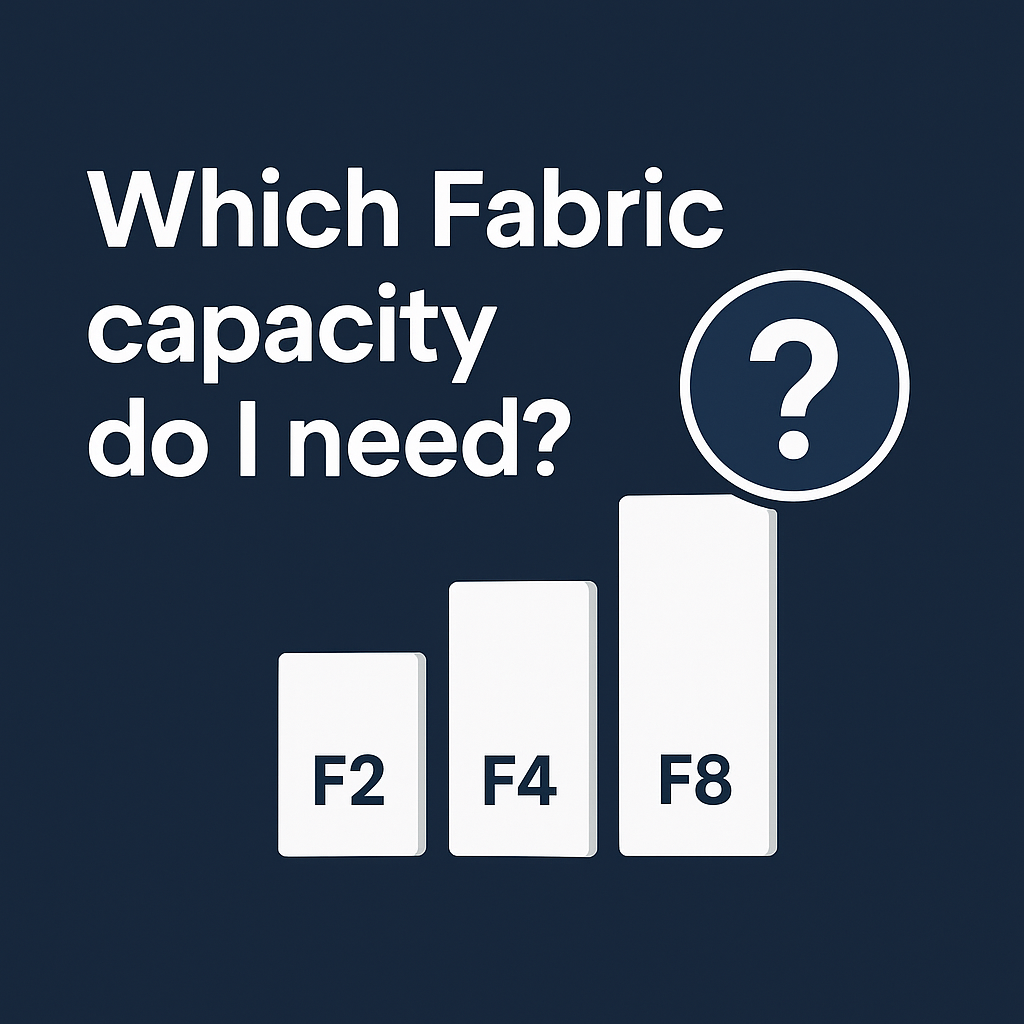
Capacities come in F-SKUs sized by Capacity Units (CU/s). The number after the F is the CU/second allowance: F2 = 2 CU/s, F8 = 8 CU/s, F64 = 64 CU/s, all the way up to F2048.
The full SKU table (pricing & limits, 2026)
Pay-as-You-Go monthly costs (US East list price; rounded). Reserved 1-year is ~40% cheaper across the board.
- F2 — 2 CU/s · ~$263/month PAYG · ~$156 reserved · entry tier, perfect for embedded sharing of dashboards via DataTako or app-owns-data (internal or external)
- F4 — 4 CU/s · ~$526/month PAYG · ~$312 reserved · light embedded use
- F8 — 8 CU/s · ~$1,051/month PAYG · ~$623 reserved · most popular starting point for embedded portals at scale
- F16 — 16 CU/s · ~$2,102/month PAYG · ~$1,247 reserved · adds room for heavier refreshes and Spark
- F32 — 32 CU/s · ~$4,205/month PAYG · ~$2,494 reserved
- F64 — 64 CU/s · ~$8,410/month PAYG · ~$4,989 reserved · the "free internal viewers" tier — only worthwhile if your audience must use app.powerbi.com directly. For portal-based sharing, F2 + DataTako delivers the same outcome at ~3% of the cost.
- F128 / F256 / F512 / F1024 / F2048 — enterprise scale, multi-workload analytics platforms; price scales linearly
For the official current price calculator, see Microsoft's Fabric Capacity Estimator.
The F64 threshold — why most teams shouldn't aim for it
Here's the rule that gets quoted everywhere: only F64 and larger capacities let "free" Fabric users (no Pro licence) view Power BI content through the standard Power BI Service. On any smaller SKU (F2-F32), viewers using app.powerbi.com still need a Pro or PPU licence.
It sounds attractive — buy F64, no more per-user licences. In practice, F64 is rarely the right answer. Three reasons:
- It's expensive. ~$8,400/month PAYG, ~$5,000/month reserved 1-year. The break-even versus Pro licences is around 500-600 viewers on PAYG (or ~360 on reserved). Most organisations don't have that many people who actually need to be inside app.powerbi.com.
- It only fixes licensing, not user experience. Viewers still land in Microsoft's Power BI UI — your branding is gone, navigation is generic, and most non-technical viewers find it confusing.
- There's a much cheaper alternative that works on any SKU and gives you a fully branded portal on top.
The path most teams should take — for both internal and external sharing: embed Power BI reports into a portal using the app-owns-data model. That's your own application, an internal employee dashboard, an intranet, a customer-facing portal, a partner site, or a no-code platform like DataTako. Viewers authenticate to your portal (not Power BI) and never need a Pro licence regardless of SKU. A small F2 + DataTako serves unlimited viewers — internal employees, external clients, or both at once — for ~$260/month. That's ~3% of the F64 cost, plus full white-label branding, plus pause-on-idle to drop the cost further when nobody's viewing.
F64 is the right answer in one specific scenario: your viewers need to use app.powerbi.com directly (not a portal), and you have 500+ of them, and you can't move them to a portal. Outside that narrow case, the embedded path wins on cost, UX, and branding. See our 2026 guide to sharing Power BI reports for the full side-by-side.
Capacity Units (CU) — what they actually mean
A Capacity Unit is Microsoft's normalised measure of compute. Each Fabric operation — opening a report, refreshing a dataset, running a Spark job — consumes CU/second for the duration of the work.
The Fabric Capacity Metrics report works in 14-day windows. Multiplying CU/s × seconds in 14 days gives you the total CU budget per period:
- F2: 2 × 86,400 × 14 = 2,419,200 CU per 14-day window
- F4: 4,838,400 CU
- F8: 9,676,800 CU
- F16: 19,353,600 CU
- F32: 38,707,200 CU
- F64: 77,414,400 CU
For Power BI-centric workloads, plan on roughly 75% of available CU for refreshes and 25% for report viewers. Refreshes are by far the heaviest CU consumers; viewing reports is comparatively cheap.
How to find your Fabric capacity ID
You'll need this to install the Microsoft Fabric Capacity Metrics report.
- Go to the Power BI Admin Portal and click Capacity settings.
- Click your Fabric capacity name. The capacity ID is shown in the URL after
/capacities/and on the capacity detail page. - Install the Capacity Metrics report from Power BI Apps, open it, and paste the capacity ID when prompted.
- Sign in as a capacity admin to see live CU usage broken down by workload (interactive vs background) and per-item.
Bursting, smoothing, carry-forward and overages
Fabric doesn't enforce a hard cap on every operation — it has a smoothing mechanism that hides short spikes:
- Bursting: a workload can temporarily exceed its baseline CU/s — useful for visual-heavy report opens or model refreshes. The CU debt is owed to the capacity for later.
- Smoothing: interactive jobs spread over a 5-minute window; background jobs (refreshes) spread over 24 hours. This prevents a single refresh from immediately overloading the capacity.
- Carry-forward: if a workload exceeds capacity, future windows absorb the debt (within limits). A 9 a.m. refresh's CU is amortised across the next 24 hours.
- Overages and throttling: if smoothing and carry-forward run out, the capacity throttles — refreshes are queued or rejected and report queries fail. Bad user experience. The Capacity Metrics report has a Throttling tab; if you see consistent throttling, scale up.
Decision tree — which SKU should you pick?
Walk through these in order. The big fork is whether you'll share through the Power BI Service (app.powerbi.com) or through an embedded portal (your own app, intranet, or DataTako). The viewer experience and licensing both differ.
- Sharing through the Power BI Service with fewer than 50 internal viewers? → Stay on Power BI Pro per-user. Don't buy a capacity.
- Embedding reports into an internal employee portal (HR, ops, finance, exec dashboards)? → Start at F2 and pair with embedded sharing (app-owns-data or DataTako). Internal viewers don't need Pro on any SKU when they consume reports through the portal.
- Embedding reports into an external portal (clients, partners, customers, suppliers)? → Same answer: F2 + embedded sharing. The architecture is identical — viewers authenticate to your portal, not Power BI.
- Sharing through the standard Power BI Service with 50-500 internal viewers? → A small SKU (F2-F8) plus per-viewer Pro licences for the people who need app.powerbi.com is usually cheaper than jumping to F64. Or — flip them to a portal and serve unlimited viewers on the same small SKU.
- Specifically need 500-600+ viewers inside app.powerbi.com (not a portal)? → F64 is the only path to free internal viewing through the Power BI Service. But before you commit to ~$8,400/month, ask whether those viewers actually need the native Power BI UI. If a branded portal works for them, an F2 + DataTako serves the same audience for ~95% less.
- Need Spark / warehousing / real-time analytics on top of Power BI? → Start at F8-F16 and right-size from Capacity Metrics after two weeks of real load.
- Is utilisation steady (>60% of total hours)? → Reserved capacity for ~40% off PAYG. Otherwise, PAYG with pause-on-idle. Full PAYG vs reserved comparison.
Optimising CU usage (and saving money on a smaller SKU)
The cheapest way to upsize is not to upsize. A few patterns deliver disproportionate CU savings:
- Use a star schema. Snowflake and flat models force the engine to scan more data per query.
- Optimise DAX. Iterator functions like
SUMXover large tables are CU-expensive; pre-aggregate where possible. - Reduce visual count per page. Each visual sends its own DAX query. 20 visuals = 20 queries on every report open.
- Use aggregations. Pre-summarise data at higher grains (monthly totals instead of daily transactions) when granular detail isn't needed.
- Switch to incremental refresh. Refreshing only new/changed data is the single biggest background-CU saving available. Often cuts background usage by 80-90%.
- Pause the capacity when idle. PAYG capacities can be paused via the Azure portal or programmatically — perfect for business-hours-only workloads. Tools like DataTako automate the pause/resume so capacity only runs when someone is actually viewing.
Fabric vs Power BI Premium — what changed
If you remember the old P-SKUs (P1, P2, P3) from Power BI Premium, F-SKUs are their direct successor with three meaningful upgrades: finer-grained tiers (F2 didn't exist under P), pause/resume billing on PAYG (P-SKUs were always-on), and unified compute shared across every Fabric workload, not just Power BI. Microsoft is gradually retiring P-SKUs in favour of F-SKUs through 2026. If you're on P today, plan the migration this year.
Frequently asked questions
What is Microsoft Fabric capacity?
A Fabric capacity is a dedicated pool of compute resources, sized by Capacity Units (CU/s) and rented as an F-SKU (F2 through F2048). All Fabric workloads — Power BI, Data Factory, Spark, warehousing, real-time analytics, AI — run on the same capacity. Cost is fixed per SKU regardless of viewer count, which is the opposite economic model from per-user Power BI Pro licences.
Which Microsoft Fabric capacity do I need?
It depends on three numbers: how many viewers, what workloads beyond Power BI, and how often the capacity is active. The decision tree above covers the common paths. The quickest answer: F2 if you're embedding into a portal (internal or external), F8-F16 if you're starting heavier Fabric workloads, F64 if you specifically want all internal viewers to be free through the Power BI Service.
How much does Microsoft Fabric F2 / F8 / F64 cost?
Approximate Pay-as-You-Go monthly list prices (2026): F2 ~$263, F4 ~$526, F8 ~$1,051, F16 ~$2,102, F32 ~$4,205, F64 ~$8,410. Reserved 1-year commitments are roughly 40% cheaper but you pay for idle hours. Actual price varies slightly by region — confirm via Microsoft's capacity estimator.
Can I share Power BI reports without a Pro licence on a Fabric capacity?
Yes — and the cheaper path is the one most teams use. (1) Embed Power BI reports into a portal using the app-owns-data model on any SKU including F2 (~$260/month). Viewers — internal employees on an HR or ops dashboard, external clients on a customer portal — authenticate to your portal, not Power BI, and never need a Pro licence regardless of SKU. (2) The expensive alternative: an F64 or larger capacity (~$8,400/month) lets free Fabric users view content through the standard Power BI Service. F64 is roughly 30× pricier than F2 + DataTako, and viewers still see Microsoft's UI rather than yours. The embedded path wins at every audience size unless you have a specific reason viewers must use app.powerbi.com.
Do I need an F64 capacity to share with internal viewers without Pro licences?
No — F64 is only required for free internal viewing through the Power BI Service. If you embed reports into an internal portal using app-owns-data (whether you build it yourself or use a no-code platform like DataTako), viewers don't need a Pro licence on any SKU, including F2. Many DataTako customers use this exact pattern for internal employee dashboards (HR, finance, ops) at a fraction of the F64 cost.
What are Capacity Units (CU) in Microsoft Fabric?
A Capacity Unit is Microsoft's normalised measure of compute power, billed per second. F2 means 2 CU/s, F8 means 8 CU/s, etc. Every operation — opening a report, refreshing a dataset, running a Spark job — consumes CU for its duration. Think of it as a shared CPU/memory budget rather than dedicated cores. The Capacity Metrics report shows CU consumption broken down by workload over rolling 14-day windows.
Is Microsoft Fabric the same as Power BI Premium?
No, but Fabric F-SKUs replace the old P-SKUs (P1, P2, P3) of Power BI Premium. Fabric is broader — same capacity-based compute model but covers Spark, warehousing, real-time analytics, and AI in addition to Power BI. The licensing benefit (free internal viewers through the Power BI Service) kicks in at F64+, equivalent to old P1.
When should I switch from Power BI Pro to Microsoft Fabric?
Two answers depending on viewer experience. If you put viewers behind a portal — internal HR/ops/finance dashboard, external client view, partner intranet — the break-even drops to ~30-50 viewers because a small F2 capacity + a tool like DataTako serves unlimited viewers. This is the path most teams should take. If you genuinely need everyone in app.powerbi.com directly, Pro stays cheaper until ~500-600 viewers (where F64 break-even kicks in at ~$8,400/month PAYG or ~$5,000 reserved). The portal path beats the native-Service path on both cost and user experience for the vast majority of organisations. Full break-even analysis here.
Pay-as-you-go vs reserved Fabric capacity — which is cheaper?
Reserved (1-year commitment) is ~40% cheaper than Pay-as-You-Go list price, but you pay for the full year regardless of usage. PAYG can be paused on demand. Rule of thumb: if your capacity runs more than ~60% of total hours, reserved wins. If less (e.g. business-hours only), PAYG with pause-on-idle wins. PAYG vs reserved breakdown.
What is bursting and smoothing in Fabric?
Bursting lets a workload temporarily exceed its baseline CU/s allocation to handle short spikes (a complex visual, a heavy refresh). Smoothing then spreads the burst across 5 minutes (interactive) or 24 hours (background) so a single spike doesn't immediately overload the capacity. Together they hide short bursts; sustained over-consumption still causes throttling.
Can I pause a Fabric capacity?
Yes — Pay-as-You-Go capacities can be paused from the Azure portal or via the Fabric API, and you stop paying compute charges while paused. Reserved capacities cannot be paused (you committed to the full year). For business-hours-only workloads, PAYG + scheduled pause/resume can cut compute cost by 60% or more. DataTako includes automatic pause-on-idle for embedded scenarios.
Where do I find my Fabric capacity ID?
Go to the Power BI Admin Portal, open Capacity settings, and click your Fabric capacity. The capacity ID appears on the detail page and in the URL after /capacities/. You'll need it to set up the Microsoft Fabric Capacity Metrics report.
How do I monitor Fabric capacity usage?
Install the Microsoft Fabric Capacity Metrics app from Power BI Apps, open the report, and paste your capacity ID. You'll see CU consumption by workload (interactive vs background), per-item drill-down, and throttling/overage events on rolling 14-day windows. This is the canonical right-sizing tool: if you're consistently above ~80% of capacity, scale up; if below ~30% for two weeks, scale down.
Is there a free Microsoft Fabric license?
Yes — but it's narrower than it sounds. The "free" Fabric licence lets individual users view content stored on a Fabric capacity sized F64 or larger and accessed through the Power BI Service. Below F64, internal viewers in app.powerbi.com still need Pro or PPU. The cleaner answer for most teams: viewers consuming reports through an app-owns-data portal — like DataTako — don't need any Power BI licence at all, regardless of SKU. That's the route most cost-conscious organisations take. Microsoft also offers a 60-day free Fabric trial capacity for evaluation.
Pull it all together with DataTako
If your Fabric goal is sharing Power BI reports — whether through an internal employee portal (HR analytics, ops dashboards, finance views, exec KPIs) or an external client/partner dashboard — DataTako pairs with any F-SKU (even F2) to give you a fully branded viewer experience, no Pro licences required, and automatic pause/resume to keep costs down. The same architecture serves both audiences from the same capacity. See features, compare plans, or start a free trial on your existing capacity.

