
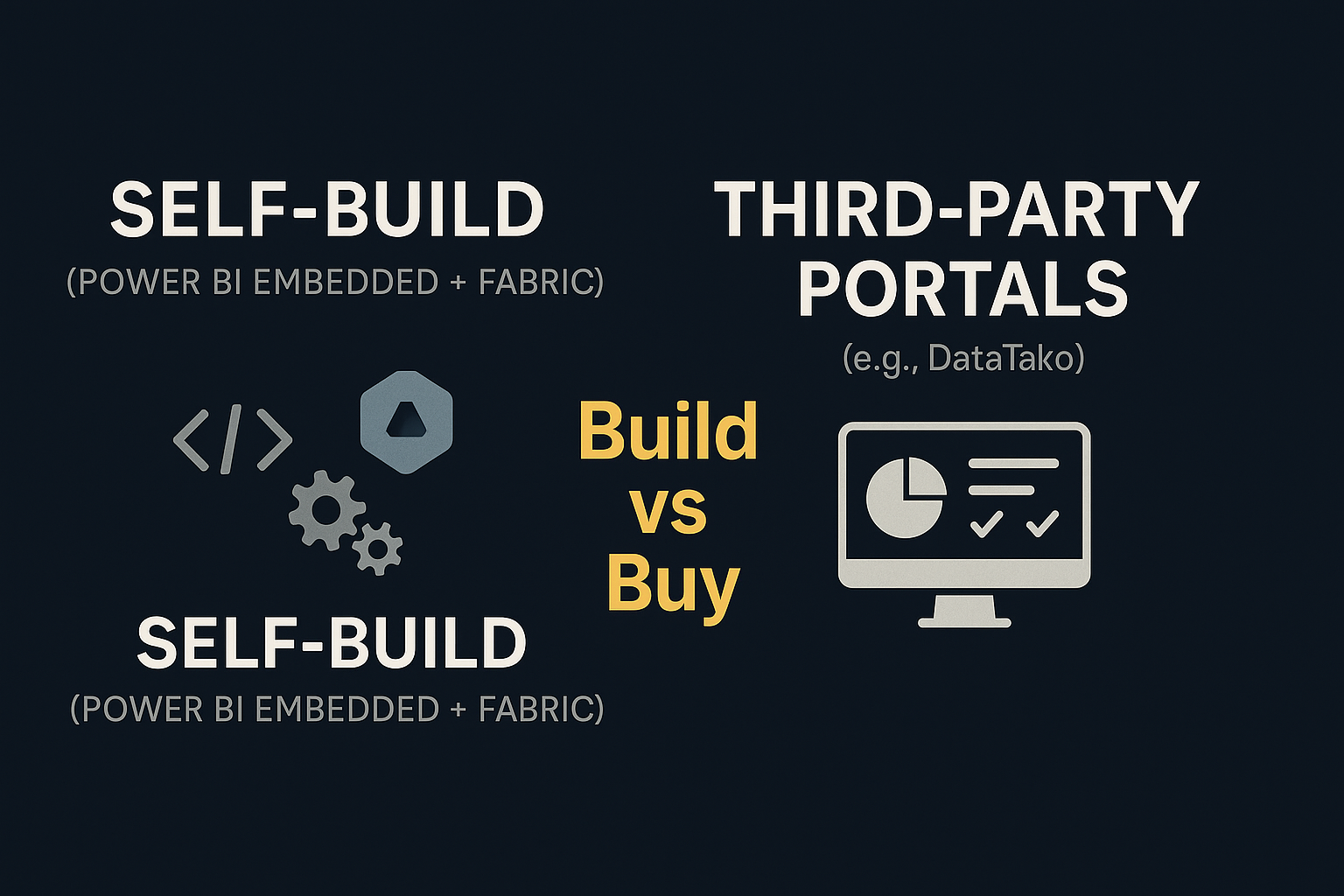
If you’ve been following the latest discussions in the Power BI community, you’ve probably noticed a big shift: with a Microsoft Fabric capacity, you no longer need Power BI Pro licenses for report viewers when using Power BI Embedded.
This change is a huge upside for organizations rolling out analytics portals at scale. Suddenly, what used to be a major licensing hurdle is much more manageable.
👉 If you’re new to the concept of Embedded, check out our primer: What is Power BI Embedded?
The Real-World questions people ask (Reddit Example)
This shift has led to more and more business leaders, analysts, and developers asking:
💬 Should I use Power BI Embedded directly, or should I look for a third-party platform to simplify things?
You can see these conversations happening daily, like in this recent Reddit thread, where someone compared Pro licenses vs Embedded for 100 operators.
It’s a common story: companies want to cut costs on Pro licenses, but quickly discover that building a custom Embedded solution is not as straightforward as it sounds.
Why Building with embedded isn’t “Free” (even with Fabric)
I’ve explained this myself in discussions like the one above:
“It starts to make sense from about ~60–70 users and upwards to switch to a Fabric capacity and utilize the Microsoft Embedded tech with the App Owns Data approach.
Microsoft even has a capacity calculator to help you estimate what you’ll need.”
But here’s the catch:
- App Owns Data is essential if you want to eliminate Pro licenses. With the User Owns Data model, you’re stuck paying for those licenses.
- You need to manage everything inside your app: user management, authentication, authorization, role-based access, RLS, filters… tasks you’d normally configure directly in Power BI.
- The API layer is complex — embedding dashboards, paginated reports, semantic models, and managing identities all require custom coding.
- Frequent (security updates): the world changes, and your codebase needs to be updated all the time to keep up.
This is exactly why companies often underestimate the true cost of “building” Embedded portals.
Where third-party platforms step in
This is also where platforms like DataTako come into play.
Instead of reinventing the wheel, you can leverage a white-label client analytics portal that uses the App Owns Data approach under the hood—without your team needing to code, configure, or maintain all the moving pieces.
With DataTako, you get:
- No Azure capacity headaches: we abstract that layer.
- Predictable pricing: per-user or fixed subscription models.
- Secure, multi-tenant ready: role-based access, authentication, and scaling included.
- Faster time-to-market: launch in days, not months.
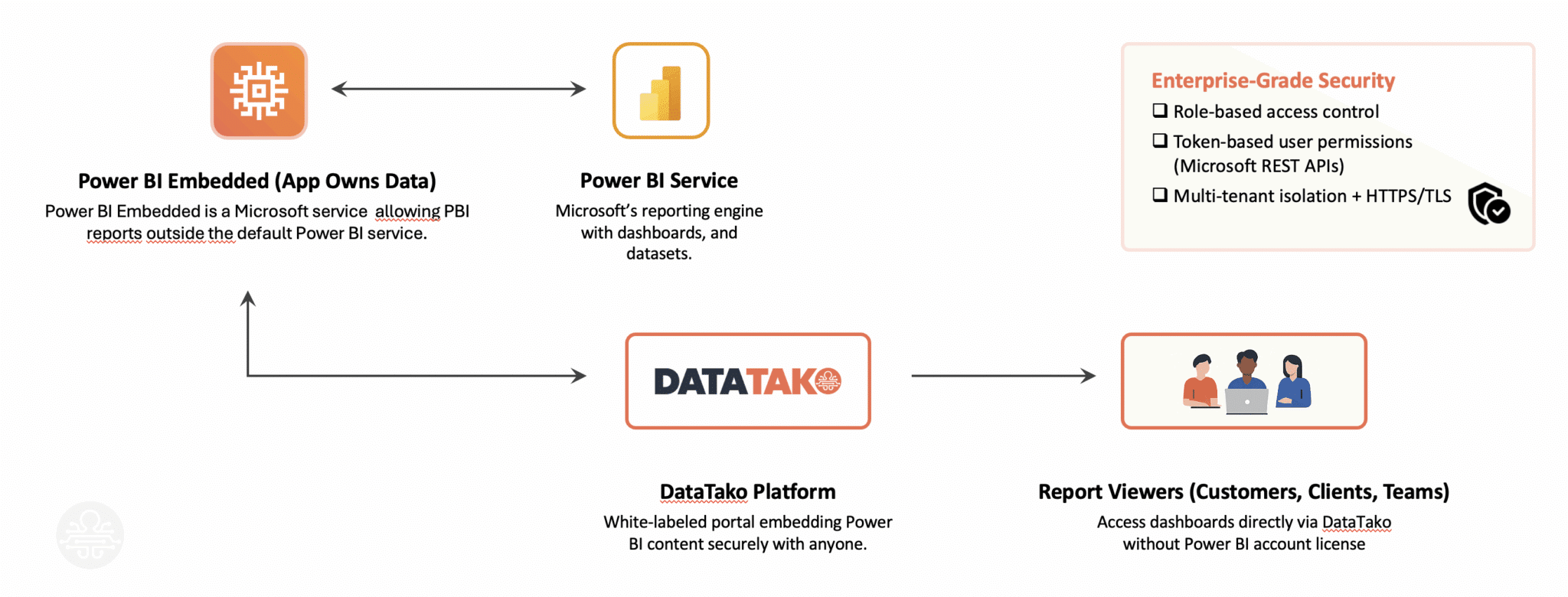
Think of it as all the benefits of Embedded + Fabric, but without the engineering burden. The image below explains how a platform like DataTako sits between the Power BI service and your report consumers.
So, Build or Buy?
Build (Power BI Embedded directly):
✅ Great if you have a strong dev team
✅ Full control over architecture
❌ High setup and ongoing maintenance
❌ Azure capacity costs (~$736+/month, regardless of user count)
Buy (Third-Party Portal like DataTako):
✅ Launch quickly with no heavy coding
✅ Predictable costs aligned with your user base
✅ Security and scaling baked in
❌ Less customizable than building from scratch (but often more than enough)
Conclusion: The Right Path Depends on Your Resources
With Fabric + Embedded, Microsoft has made it easier than ever to escape the Pro license trap. But building a portal still comes with hidden costs in time, complexity, and maintenance.
If you’re a larger organization with a capable dev team and you value full control, building may be worth it. But for most businesses that want cost-effective, scalable, and ready-to-use analytics portals, buying a solution like DataTako makes far more sense.
👉 Curious how it works? Explore DataTako and see how we help teams launch Power BI client portals without the overhead.